Table of contents Toc Icon
Table of contents Toc Icon
QuickBooks Desktop is a powerful accounting solution, but when it’s installed on a local computer or server, accessing it from outside the office can be difficult. As businesses grow and teams work remotely, these limitations can slow collaboration and reduce productivity.
Traditional remote access methods often require additional IT management and may not provide the performance, reliability, or security businesses need. This can make it harder for teams to work efficiently and keep financial data protected.
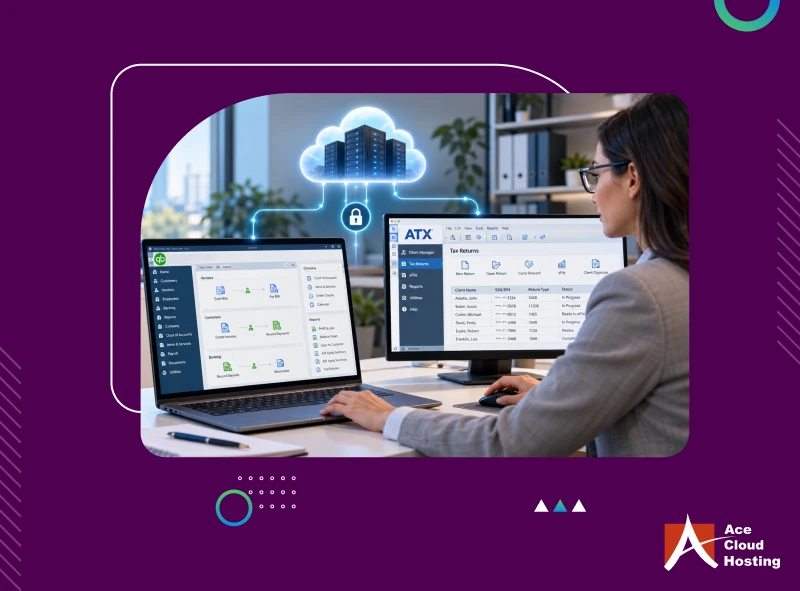
Cloud-based QuickBooks Hosting solves these challenges by hosting QuickBooks Desktop on secure cloud servers, enabling authorized users to access QuickBooks from anywhere.
This guide explains how QuickBooks Hosting works, its key benefits, and what to consider when choosing a QuickBooks hosting provider.
What is QuickBooks Hosting?
QuickBooks Hosting is the process of hosting QuickBooks Desktop on secure cloud servers managed by a hosting provider. This allows authorized users to access the application from anywhere using an internet-connected device.
Instead of being tied to a single office computer or local server, QuickBooks Hosting enables secure remote access without requiring the software to be installed on every device. It combines the powerful features of QuickBooks Desktop with the flexibility of cloud access, making it easier for teams to collaborate and work from any location.
6 Challenges of Using On-Premise QuickBooks Solutions
1. Inability to access QuickBooks Remotely
One of the most significant challenges for accountants with the on-premise QuickBooks solution is the inability to access QuickBooks remotely.
Such instances restrict the accountants from assisting their clients during non-business hours. To access QuickBooks and client data, they must be physically present at the office, which is not always a practical solution.
Experience cloud-hosted QuickBooks with secure remote access and multi-user collaboration.
2. Problem handling clients’ accounting data
Accountants work with large volumes of client financial data every day. Submitting returns and generating reports require them to work on it extensively and filter out the required data. They must collaborate, share files, and involve all their team members to complete their tasks on time.
With an on-premise setup, collaborating with team members and sharing files can be time-consuming. Multiple revisions, manual file transfers, and duplicate copies often lead to version control issues and unnecessary delays, making it harder to complete work efficiently and on time.
3. Data loss
With an on-premise QuickBooks solution, all accounting data is stored on local computers or servers. This increases the risk of data loss due to hardware failures, accidental file deletion, ransomware attacks, system crashes, or natural disasters such as floods and fires.
Without a reliable backup and disaster recovery plan, recovering lost data can be difficult or even impossible. Data loss can disrupt daily operations, delay client work, damage your firm’s reputation, and result in financial losses.
4. Impact on business continuity due to server downtime
With an on-premise QuickBooks setup, accountants rely on local servers to access their accounting data. If the server experiences hardware failures, software issues, maintenance, or unexpected outages, employees may be unable to access QuickBooks or client files.
Even short periods of downtime can interrupt daily operations, delay client deliverables, and reduce team productivity. Prolonged outages can impact business continuity, affect client satisfaction, and lead to revenue loss.
5. Huge operational expense
An on-premise QuickBooks setup requires a significant investment in IT infrastructure, including dedicated servers, storage systems, networking equipment, and office workstations. As your business grows, you may also need to upgrade or replace this hardware.
In addition, maintaining the environment often requires an in-house IT team to manage software updates, server maintenance, troubleshooting, and backups. These ongoing infrastructure and maintenance costs can significantly increase your operational expenses.
6. Lack of Scalability
As your business grows, your QuickBooks environment should be able to grow with it. However, scaling an on-premise setup is often slow and expensive.
Adding new employees requires purchasing additional QuickBooks licenses, setting up new workstations, and upgrading server resources such as storage, RAM, or processing power. Similarly, when seasonal staff leaves after tax season, reducing users and IT resources is not always straightforward, leaving you paying for infrastructure you no longer need.
These challenges become even more noticeable during tax season, when accounting firms need to quickly onboard temporary staff and handle higher workloads. Limited scalability can make it difficult to respond to changing business needs efficiently.
How does Cloud-Hosted QuickBooks Solve these Challenges?
1. Remote Access
QuickBooks hosting allows you to access your application and data from anywhere with an internet connection. Whether you’re working from the office, home, or while traveling, you can securely continue your work without being tied to a specific computer.
You can sign in from virtually any device, including Windows laptops and desktops, Macs, tablets, smartphones, and even thin clients. This flexibility helps accounting firms support remote work, improve responsiveness to clients, and maintain business continuity without compromising access to critical accounting data.
2. Seamless Collaboration
QuickBooks hosting enables multiple authorized users to access the same company file simultaneously, making it easier for accounting teams to work together from different locations.
Unlike traditional setups that rely on emailing files back and forth, everyone works on the same centralized data in real time. Changes are reflected instantly, reducing version conflicts, minimizing errors, and improving coordination across teams. This helps firms complete client work faster and collaborate more efficiently.
3. 24×7 IT Support
With QuickBooks hosting, you get access to a dedicated IT support team that monitors and manages your hosted environment around the clock. From software updates and server maintenance to troubleshooting technical issues, experienced professionals handle the day-to-day IT management.
Most reliable hosting providers offer 24/7 support through phone, chat, and email, ensuring you can quickly get assistance whenever you need it. This allows your team to stay focused on accounting work instead of managing IT infrastructure.
4. Data Security
QuickBooks hosting providers protect your accounting data with multiple layers of security to help safeguard sensitive financial information and support regulatory compliance.
Depending on the hosting provider, security features may include:
- Multi-factor authentication (MFA)
- End-to-end data encryption
- Role-based access controls
- Enterprise-grade firewalls
- Intrusion detection and prevention systems (IDPS)
- Antivirus and anti-malware protection
- Continuous security monitoring and regular security updates
5. Cost-Efficient
QuickBooks hosting helps reduce the costs associated with maintaining an on-premise IT environment. Instead of investing in expensive servers, hardware upgrades, and ongoing infrastructure maintenance, you pay a predictable monthly or annual subscription fee.
The hosting provider manages the servers, software updates, backups, and IT maintenance, reducing the need for in-house IT resources. As your business grows, you can easily add or remove users without making significant hardware investments, making QuickBooks hosting a more flexible and cost-effective solution.
6. High Uptime
Availing of QuickBooks hosting services from a reputed service provider ensures high server uptime. As a result, you can access your QB files whenever required, as there will be significantly low chances of the server being down. Leading hosting providers equip themselves with high-performance computing servers that ensure top-notch data security, data availability, consistency of speed, and high SLA-backed server uptime of 99.99%.
7. Scalability
QuickBooks Desktop cloud hosting services make business expansion during heavy workloads an effective solution. Whether you add more users to your QB account or increase your IT resources like RAM, storage, etc., QB cloud hosting services cover them all.
You can customize your requirements by contacting the service provider. Once you meet the needs and your workload minimizes, reach out to the service provider to reset the configurations again. This way, you can ensure payment for only specific services.
How is QuickBooks Cloud Hosting Better than QuickBooks On-Premise?
| Feature | QuickBooks On-Premise | QuickBooks Cloud Hosting |
| Access | Limited to office computers or local network | Secure access from anywhere with an internet connection |
| Device Compatibility | Primarily tied to Windows PCs | Access from Windows PCs, Macs, laptops, tablets, smartphones, and thin clients |
| Collaboration | File sharing is manual and can create multiple versions | Multiple authorized users can work on the same company file simultaneously |
| Scalability | Requires hardware upgrades and new licenses to add users | Easily add or remove users and resources based on business needs |
| IT Management | Managed by your in-house IT team | Managed by the hosting provider, including updates and maintenance |
| Data Security | Depends on your internal security setup | Enterprise-grade security with MFA, encryption, firewalls, backups, and monitoring |
| Backup & Disaster Recovery | Must be configured and managed internally | Automated backups and disaster recovery are typically included |
| Downtime | Hardware or server failures can disrupt operations | High-availability infrastructure minimizes downtime |
| Cost | High upfront investment in servers, hardware, and IT staff | Predictable monthly or annual subscription with lower infrastructure costs |
| Business Continuity | Limited during office closures or local outages | Teams can continue working remotely with uninterrupted access |
Which QuickBooks Versions Support Hosting?
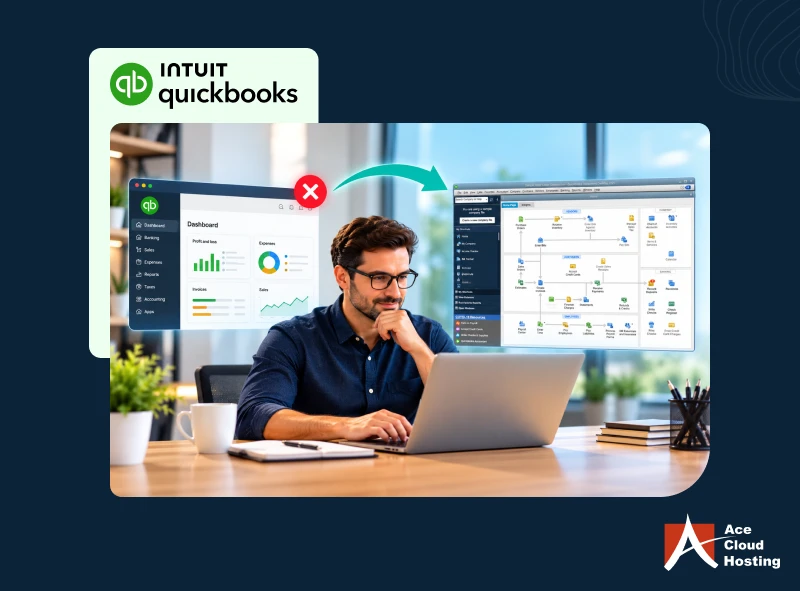
QuickBooks hosting is available for QuickBooks Desktop versions that are licensed and supported under Intuit’s hosting policies. Intuit Authorized Hosting Providers like Ace Cloud Hosting can host existing QuickBooks Desktop editions on secure cloud servers, allowing users to access the software remotely.
For U.S. customers, Intuit discontinued new subscriptions for QuickBooks Desktop Pro Plus and Premier Plus after September 30, 2024. Existing subscribers can continue renewing their licenses according to Intuit’s policies. Ace Cloud Hosting supports cloud hosting for:
- QuickBooks U.S. editions
- QuickBooks UK editions
- QuickBooks Canadian editions
- QuickBooks Australian editions
We also support:
- Industry-specific QuickBooks versions
- Multi-user environments
- Integration with 200+ third-party accounting applications
This allows businesses to continue using their preferred QuickBooks Desktop version while gaining the flexibility, security, and remote accessibility of the cloud.
What to Consider Before Moving QuickBooks to the Cloud
Migrating QuickBooks to the cloud is more than a technology upgrade. Choosing the right hosting provider and evaluating your business requirements beforehand can help ensure a smooth transition. Before making the move, consider the following:
Assess Your Business Requirements: Determine your budget, number of users, storage requirements, and business goals. If possible, request a free trial or demo to evaluate the hosting service before committing.
Choose the Right Hosting Approach: Decide whether to self-host QuickBooks or work with a managed QuickBooks hosting provider. For most businesses, a managed provider offers a simpler and more cost-effective solution by handling the infrastructure, security, updates, and ongoing maintenance.
Evaluate Security Measures: Ensure the provider offers enterprise-grade security features such as multi-factor authentication (MFA), encryption, role-based access controls, firewalls, continuous monitoring, and automated backups. Also understand how user access and data security are managed.
Check Uptime and Disaster Recovery: Look for an SLA-backed uptime guarantee of 99.99% or higher. Ask about backup frequency, recovery time objectives (RTO), disaster recovery plans, and how quickly services can be restored after an outage.
Review Data Center Infrastructure: Verify that the provider hosts QuickBooks in enterprise-grade data centers with redundant power, networking, and cooling systems to ensure high availability and reliability.
Verify Scalability: Your hosting solution should allow you to easily add or remove users, increase storage, and scale computing resources as your business grows or during tax season.
Understand Pricing: Review the pricing structure carefully and confirm what is included in the subscription. Ask about setup fees, migration costs, licensing, backups, support, and any hidden charges.
Evaluate Support and Experience: Choose a provider with proven QuickBooks hosting expertise and 24/7 technical support through phone, chat, and email. Also confirm they can assist with migration and ongoing maintenance.
Confirm Application Compatibility: Ensure the provider supports your QuickBooks edition, multi-user environment, and any third-party applications your business depends on.
Verify Compliance Requirements: If your business must meet regulatory or industry standards, choose a hosting provider that supports the required security and compliance frameworks.
Ensure Reliable Internet Connectivity: Since QuickBooks hosting is cloud-based, a stable, high-speed internet connection is essential for consistent performance and uninterrupted access.
How to Safely and Successfully Migrate QuickBooks to the Cloud?
There are a few effective ways to ensure that your QuickBooks cloud migration goes smoothly. Here’s a look at them:
- Ensure you know how much data you’ll be migrating from the on-premise version of QuickBooks.
- Create a backup of the on-premise version before you migrate. If there’s an error, it will be easier for the QuickBooks cloud hosting provider to troubleshoot.
- Consider hiring a reputable QuickBooks Hosting provider to help with the migration process. They’re worth their weight in gold to keep things running smoothly and quickly.
- Choose a hosting provider based on your needs: Discuss your requirements with the service provider upfront.
Once you fixate on a QuickBooks hosting provider, you can start migrating the QuickBooks files to the cloud. After successfully moving the files, log into your QB account to access them using your preferred device. You can follow the below-mentioned steps to migrate your QuickBooks files to the cloud:
- Back up your QuickBooks files and save them on your local computer.
- Right-click on your mouse and click on the “Copy” option.
- Open QuickBooks in your Cloud Desktop.
- Restore the backup and select “Next”.
- Select “Local Backup” and click “Next”.
- Navigate to Computer > Cloud Drive C:\ > Cloud Files
- Right-click on your mouse and paste the files you’ve copied earlier.
You can follow these steps to perform manual migration of QB files. However, availing of QuickBooks hosting services from a reliable hosting provider can help you avoid long-term problems associated with it. Wondering Why? It is because data migration is a part of your QuickBooks hosting service. All you need to do is pay for the hosting services under the monthly/yearly-based subscription model.
Start your free hosting trial and experience secure, high-performance QuickBooks access.
Ready to Host QuickBooks on the Cloud?
QuickBooks cloud hosting helps businesses access their accounting data from anywhere, collaborate securely, improve productivity, and eliminate the limitations of an on-premise setup. By choosing the right hosting provider, you can ensure reliable performance, strong security, and business continuity.
Ace Cloud Hosting is an Intuit Authorized Hosting Provider with 15+ years of cloud hosting expertise. We offer 99.99% SLA-backed uptime, enterprise-grade security, 24/7 expert support, free migration, and seamless hosting for multiple QuickBooks editions and third-party applications. You can also try our services with a free hosting trial before you decide.












Comments (1)
I love how adaptable and integrable QuickBooks is with other programs. It’s why we still use it.