Table of contents Toc Icon
Table of contents Toc Icon
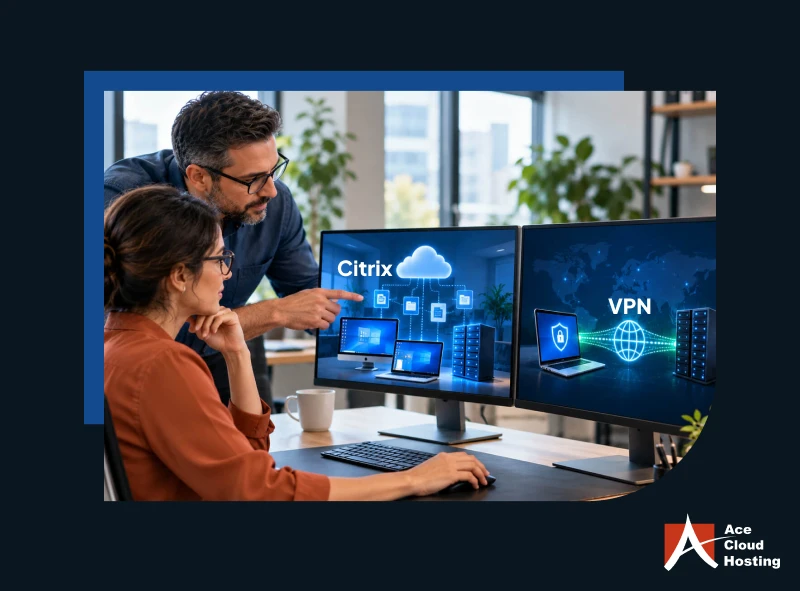
Remote teams often confuse Citrix and VPN because both provide secure access to work resources outside the office. However, they serve different purposes and offer different ways to access applications, desktops, files, and company networks.
Citrix provides a virtual workspace where users can access desktops and applications remotely, while a Virtual Private Network (VPN) creates a secure connection between a device and a private network. Understanding these differences helps businesses choose the right solution for secure remote access and efficient IT management.
This guide explains whether Citrix and VPN are the same and when to use each solution.
Are Citrix and VPN the Same?
No, VPN and Citrix are not the same. They are different technologies that solve different remote-access needs. A VPN creates an encrypted connection between a user’s device and a private network, while Citrix delivers applications or virtual desktops from a centralized environment.
How Does a VPN Work?
A Virtual Private Network creates an encrypted connection between a user’s device and a private network.
Once connected, employees can access network resources that their permissions allow. This approach works well when employees need access to internal applications, file servers, or other corporate resources.
However, a VPN primarily provides network connectivity. It does not create a complete virtual desktop environment by itself.
Businesses must also secure the endpoint, manage VPN credentials, and configure access permissions. Moreover, they also need to protect network resources against unauthorized access.
How Does Citrix Work?
Citrix delivers a virtual desktop or individual apps from a centralized environment to the user’s device. Instead of running the entire workload locally, the user connects to the virtual environment and works within the resources assigned to them.
This approach can support demanding applications such as AutoCAD, Revit, and SOLIDWORKS, without requiring every application to be installed and maintained on the local device.
Users can also access their virtual desktops from different types of devices, including Windows PCs, Mac laptops, or even thin clients. Depending on the VDI setup, businesses can provide Windows or Linux virtual desktops based on their application and user requirements.
IT teams can centrally manage the virtual desktops, applications, user access, updates, and computing resources. The experience can feel similar to users using their regular work desktop while working remotely.
Citrix vs. VPN: Key Differences
| Factor | VPN | Citrix VDI |
| Primary purpose | Creates a secure connection between a user’s device and the company’s private network. | Provides users with a virtual desktop where they can access their work apps and files remotely. |
| Remote work | Works well when users only need secure access to specific internal network resources. | Works well when users need a consistent, centrally managed desktop and app environment from different locations. |
| User access | Let users use their own device to access the company’s permitted network resources. | Let users log in to an assigned virtual desktop and work within that remote environment. |
| Desktop delivery | Does not provide a desktop. Users continue using their physical computer and connect to the company network through VPN. | Provides a complete virtual desktop with the operating system, apps, settings, and resources assigned to the user. |
| Application delivery | Users access applications through the connected network, but the VPN itself does not deliver those applications. | IT can centrally deliver specific applications through the virtual desktop without installing them on every user device. |
| Data management | Data may be transferred between the employee’s device and company resources while the user works through the network. | Applications and business data can remain in the centralized VDI environment while the users access them remotely. |
| Device dependency | Users generally depend on their local device to run applications and handle their work. | Users can access their virtual desktop from compatible devices without installing every business application locally. |
| IT management | IT manages VPN accounts, network permissions, authentication, and related security controls. | IT can centrally manage virtual desktops, applications, user permissions, updates, and desktop policies. |
Is VPN as secure as Citrix?
VPNs are generally safe for sending data over the internet, but they are not 100% secure. A VPN is not a complete cybersecurity solution. Businesses still need to secure devices, manage access, and keep applications updated.
Citrix VDI takes a different approach. It provides a controlled virtual desktop where businesses can centrally manage applications, user access, and business data.
1. VPN Is Not Designed to Detect Network Breaches
A VPN secures the connection between the user’s device and the private network. However, it is not designed to detect or respond to network breaches.
Businesses need additional security tools to monitor activity, identify suspicious behavior, and respond to potential threats.
Citrix VDI provides a controlled environment where IT teams can apply access policies and security controls to virtual desktops and applications.
2. VPN Makes Security Auditing More Difficult
VPN-based access can make auditing more difficult when business data and activity are spread across remote endpoints.
Citrix VDI keeps applications and business data in a centralized environment. Centralized logging can simplify audits for frameworks and requirements such as SOC 2, HIPAA, and more. This centralized approach also gives IT teams better visibility into user access and activity.
3. VPN Has Limited Workspace Controls
A VPN secures network access but does not provide controls for activities within the user’s local workspace. Businesses must use separate endpoint and access controls to protect sensitive information.
Citrix HDX technology helps deliver virtual desktops and applications in a controlled environment. Key security controls include:
- Anti-Keylogging: Helps prevent unauthorized capture of keystrokes during virtual sessions.
- Anti-Screen Capture: Restricts attempts to capture information displayed within the virtual session.
- Role-Based Access: Limits applications and resources based on user responsibilities.
- Geo-Based Access: Restricts access from unapproved locations.
- Copy-Paste Restrictions: Limits the transfer of information between the virtual desktop and the local device.
Move to managed Citrix VDI for centrally managed desktops, apps, and security controls.
When Should You Choose a VPN for Remote Access?
A VPN works well when users only need secure access to specific resources hosted on a private network. It connects the user’s device to the network without providing a separate virtual desktop. Consider a VPN when users need to:
- Access internal file servers: Open shared folders, documents, and other files hosted on the company’s private network.
- Connect to basic business applications: Access applications that already run on internal servers and do not require a dedicated virtual desktop.
- Access on-premises resources: Connect to databases, intranet sites, printers, or other resources that require private network connectivity.
- Support basic remote administration: Allow authorized IT users to securely access internal systems from outside the office.
- Use existing office infrastructure: Extend the same network access users receive in the office to remote locations.
- Support lightweight workloads: Access applications that do not require high CPU, RAM, GPU, or workstation-level performance.
When Should You Choose Citrix VDI?
Citrix VDI is a better fit when users need a complete virtual workstation with business applications, computing resources, and a consistent desktop experience available remotely. Consider Citrix VDI when users need to:
- Run CAD and BIM applications: Access AutoCAD, SOLIDWORKS, Revit, Navisworks, Civil 3D, Tekla, and similar design applications from a centralized virtual workstation.
- Handle GPU-intensive workloads: Use apps that require dedicated or shared GPU resources for 3D modeling, rendering, visualization, or simulation.
- Work with large project files: Open and work with large DWG, BIM, 3D, or engineering files from a centralized environment instead of transferring large files to local devices.
- Use graphics-intensive apps: Run applications such as Lumion, Enscape, Twinmotion, V-Ray, SketchUp, or other 3D visualization tools through a GPU-enabled virtual desktop.
- Access accounting and business applications: Provide users with a consistent desktop containing apps such as QuickBooks, Sage, tax software, and other accounting tools.
- Support remote and distributed teams: Give users the same desktop environment whether they work from home, another office, or while traveling.
- Use different devices: Allow users to access their virtual desktop from compatible laptops, desktops, or other supported devices without installing every business application locally.
- Centralize application management: Let IT teams install, update, and manage applications from a centralized environment instead of maintaining them separately on every device.
- Control access to business data: Keep applications and data in the managed virtual environment while users access them remotely.
- Scale computing resources: Assign different CPU, RAM, storage, and GPU resources based on the user’s workload and application requirements.
- Support demanding workloads remotely: Provide workstation-level computing resources to users who may not have high-performance hardware at their location.
Run CAD, BIM, 3D modeling, rendering, and other demanding apps on a GPU-powered VDI built for high-performance workloads.
Strengthen Security and Performance with Managed Citrix VDI
VPNs can provide secure network access, but they are not always the best fit for users who need complete remote desktops or resource-intensive workloads such as CAD and BIM. Managing network access, endpoints, and applications separately can also add complexity as remote users grow.
Ace Cloud Hosting provides managed Citrix VDI that gives users remote access to centrally managed virtual desktops and applications. The company offer 99.99% uptime, 30-day automatic backups, and 24/7 support to help businesses maintain reliable remote access and consistent performance.