


QuickBooks Enterprise for Manufacturing Business
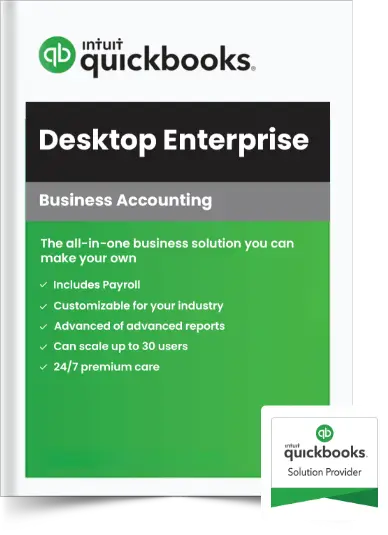
- Built-in Payroll
- 200+ Customizable Reports
- Manage Assemblies and Inventories
- Host on Cloud for Remote Access
735+ Ratings
Maximize Your Business Efficiency with QuickBooks Manufacturing Software
QuickBooks Enterprise for manufacturing helps you simplify complex operations by connecting accounting, inventory, and production in one place. Instead of handling separate systems, you can manage demand planning, vendor relationships, and supply chain activity more accurately in one place.
Built to handle high transaction volumes and large order sizes, it adapts as your business grows. With real-time data, you can spot bottlenecks early, improve delivery timelines, and make smarter decisions that keep your shop floor and back office working in sync.
QuickBooks For Manufacturing: Seamlessly Manage Inventory, Orders, and Costs
Quickly respond to customer inquiries with real-time inventory data. See what's on hand, committed, or on order—and give accurate fulfillment dates for every item.
Set role-based permissions so teams can manage pending builds, fulfill orders, and run cycle counts without accessing sensitive data. Grant users' access to the specific employees and vendors.
Enhance your purchase order management efficiency. View outstanding purchase orders and assign recipients directly in QuickBooks without needing printouts.
Easily track product costs. QuickBooks updates prices automatically when your assembly costs, item prices, and component costs change, using FIFO or average costing.
Speed up picking and reduce errors with mobile barcode scanning. Send orders to the shop floor or another warehouse and get real-time inventory updates.
Use customizable templates to simplify bill and purchase order approvals. Track everything from one dashboard with audit trails, reminders, and better cash flow control.
Easily record and track prepayments on estimates or sales orders. Apply payments automatically when invoiced and keep records clear with proof of payment.
Assign and monitor expiration dates to sell products before they expire. Minimize business liability by clearly communicating expiration dates and use reports to act on expired or about-to-expire items.
Get clear insights on profitability by product, supplier, or category. Forecast demand, identify slow movers, and view inventory status to help sales teams close faster.
Combine reports across multiple entities in QuickBooks Enterprise. Generate intercompany transaction reports by date range for complete financial visibility.
View inventory on hand, on order, or reserved for assemblies. Run customizable reports to track shortages and check stock status by vendor.
Get deeper insights with reports on expiration dates, lots, categories, and landed costs. Access all inventory reports quickly from the Reports Center.
Choose A Suitable QuickBooks Enterprise Version for Your Business Needs
*The 20% offer is applicable for the first 12 months of service only. Your account will automatically be charged on an annual or monthly basis until you cancel.
Silver 2024
- QuickBooks Desktop Enterprise software
- Up to 30 users with custom roles and permissions
- Advanced Reporting
- QuickBooks Priority Circle
Gold 2024
- QuickBooks Desktop Enterprise software
- Up to 30 users with custom roles and permissions
- Advanced Reporting
- QuickBooks Priority Circle
- QuickBooks Desktop Enhanced Payroll
Platinum 2024
- QuickBooks Desktop Enterprise software
- Up to 30 users with custom roles and permissions
- Advanced Reporting
- QuickBooks Priority Circle
- QuickBooks Desktop Enhanced Payroll
- Advanced Inventory
- Advanced Pricing
- Bill & PO workflow approvals
Diamond 2024
- QuickBooks Desktop Enterprise software
- Up to 40 users with custom roles and permissions
- Advanced Reporting
- QuickBooks Priority Circle
- QuickBooks Desktop Assisted Payroll (+$2 $1/per pay period per employee fee)
- Advanced Inventory
- Advanced Pricing
- Bill workflow approvals
- QuickBooks Time Elite ($5/mo per employee fee)
- Salesforce CRM connector (optional add-on)
System Requirements
- Client: Windows 10 (64-bit) or Windows 11 (64-bit), update/version supported by Microsoft. Windows 8.1, Windows 10 S mode, Windows 11 IOT, and Linux are not supported.
- Server: Windows Server 2012 (or R2), 2016, 2019, or 2022 (Regular or Small Business Server)
- 2.4 GHz processor
- Client RAM: 8 GB RAM; 16 GB recommended
- Server RAM (for multi-user support): 8 GB (5 users); 12 GB (10 users); 16 GB (15 users); 20 GB (20+ users)
- 2.5 GB disk space recommended (additional space required for data files); Solid State Drive (SSD) recommended for optimal performance
- For QuickBooks Enterprise Advanced Inventory Pick/Receive functionality, Honeywell Voyager 1602 Pocket Barcode Scanner, Socket Mobile CHS 7CI, and Symbol CS3070 are supported. Zebra TC20/TC25/TC51 Mobile Computer is recommended for the barcode scanner.
- Enterprise subscriptions, payroll, payments, and online banking features require internet access
- QuickBooks Desktop App is included with Desktop subscriptions. Must be installed on a camera-enabled mobile device using Android 6.0 or iOS 12 or later.
- Optimized for 1280×1024 screen resolution or higher. Supports one Workstation Monitor plus up to 2 extended monitors. Optimized for Default DPI settings.
- Integration with other software
- Microsoft Word and Excel integration requires Office 2016-2021, or Microsoft 365 (64-bit)
- E-mail Estimates, Invoices, and other forms with Microsoft Outlook 2016 - 2019, Microsoft 365 (64 bit), Gmail™, and Outlook.com®, other SMTP-supporting email clients. Integration with QuickBooks POS 19.0.
- Transfer data from Quicken 2016-2022, QuickBooks Mac/Mac Plus 2021-2024 (US only), Microsoft Excel 2016 - 2021, Microsoft 365 (64-bit)
- Browser requirement: Google Chrome
- Data management: Uses AES-256 for data encryption for all PCI and PII data
Streamline End-to-End Manufacturing Process with QuickBooks Enterprise Cloud Hosting
As an Intuit Authorized Commercial Host for QuickBooks Desktop Enterprise, we help manufacturing and wholesale businesses go beyond the limits of desktop software. QuickBooks Enterprise already delivers advanced tools for production planning, inventory tracking, and cost control—but hosting it on the cloud makes it even more powerful.
Gain secure access from any location, connect teams across plants and warehouses, and scale resources as demand grows, all while keeping operations running smoothly and profitably.
Unlock More Value from QuickBooks Enterprise with Ace Cloud Hosting
We are a QuickBooks Solution Provider; hence, we provide genuine licenses to ensure authenticity and reliability for your business's accounting needs.
In addition to licenses, we offer a managed cloud hosting service for QuickBooks Enterprise to help you with remote access.
We offer complimentary installation and setup for your QuickBooks Enterprise, expertly tailored for desktop and cloud deployment.
Get exclusive savings and unbeatable deals on QuickBooks Enterprise Licenses with our special offers and discounts.
We offer virtual consultation to help you better understand your IT needs and business requirements without charge.
Access online resources, workshops, tutorials, and guides to help you get more out of QuickBooks software.
Partner with Ace Cloud Hosting - Globally Recognized Award-Winning Managed Cloud Provider
Serving more than 20000+ business users worldwide
Intuit Authorized Commercial Hosting Provider and QuickBooks Solution Provider
We are an Intuit Authorized Hosting Provider for QuickBooks Desktop software, thus, having the privilege of possessing expertise to deliver exceptional hosting support, with our experts receiving training from Intuit.
As a QuickBooks Solution Provider (QSP), we also offer genuine QuickBooks products at competitive prices—delivering trusted solutions, end to end.
Award-Winning
Application Hosting Provider
QuickBooks Resources Tailored for Manufacturing Businesses
Frequently Asked Questions (FAQs)
Can QuickBooks build and manage assemblies?
What is "Available‑to‑Promise" in QuickBooks, and how does it help manufacturers?
Does QuickBooks Enterprise for Manufacturing integrate with third-party applications?
Is QuickBooks Enterprise available in a manufacturing-specific edition?
Can I install QuickBooks Enterprise Manufacturing & Wholesale 2024 edition on multiple computers?
When should a manufacturing business choose QuickBooks Enterprise over QuickBooks Online?
Are there any discounts available?
Can I get QuickBooks Desktop Enterprise on the cloud?
Our Partners
Note: Intuit and QuickBooks are registered trademarks of Intuit Inc. Used with permission under the QuickBooks Solution Provider Program.
Our Solution Experts Will Get Back To You With A Custom Quote