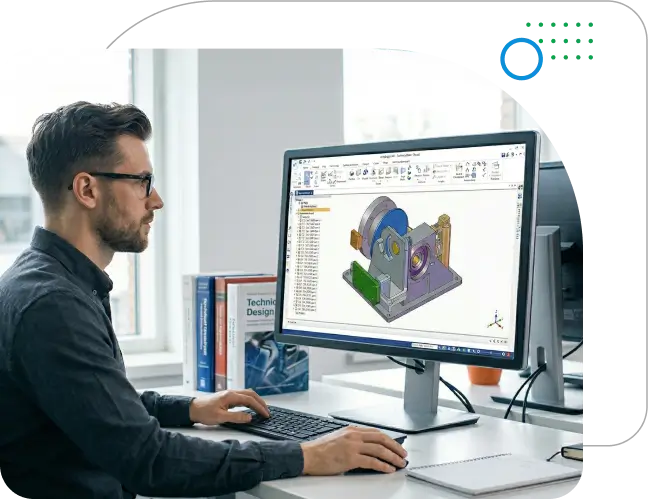

Run Solid Edge on GPU-Powered Cloud VDI

Work on Solid Edge from anywhere with GPU-powered cloud desktops so you can run professional 3D CAD smoothly from any device, anywhere.

  • 99.99% Uptime
  • Free Data Migration
  • 30-Day Automated Backup
  • 24x7 Human Support
Questions? Talk to an expert
star

735+ Ratings

Book Your 7 Day Free Trial
No Credit Card Required. Cancel anytime.

    We respect your privacy. Your information will only be used to share relevant updates and offers. See our Privacy Policy.

    High-Performance Virtual Desktops for Solid Edge Engineering and Product Design

    Product design and engineering teams often struggle when Solid Edge work is split across multiple devices, locations, and file-sharing methods. Switching systems can break workflow continuity, slow down collaboration, and increase IT effort for setup, updates, and access management. As projects involve more stakeholders, colleagues, suppliers, and customers, teams need fast, secure, and consistent access to Solid Edge from anywhere.

    Ace Cloud Hosting delivers a secure, cloud-based Solid Edge experience designed for modern engineering workflows. With cloud-ready access, teams can work from any device, pull their personalized CAD environment in minutes, and share CAD data quickly, without relying on daily IT maintenance.

    • Anytime, Anywhere Access: Open and work on Solid Edge CAD files and assemblies from anywhere by logging into your Solid Edge cloud desktop from Mac, PC, Chromebook, tablet, or phone.
    • Personalized CAD Environment: Retrieve your Solid Edge workspace settings, menus, units, templates, and drawing standards across devices to maintain consistent engineering workflows.
    • Secure File Vaulting and Sharing: Backup, share, and collaborate via Dropbox, OneDrive, Google Drive, or Box, with file locking to prevent overwrites and replicated vault access for faster availability.
    Virtual desktops for Solid Edge engineering

    Transform Your Workplace with Ace Cloud Hosting's Desktop as a Service powered by Citrix

    transform-your-workplace-with-ace-cloud-hosting-and-citrix

    Solid Edge vGPU Powered Cloud VDI Workstations for Large
    Assemblies and Engineering Workloads

    Multi-Device Access

    Multi-Device Access

    Access Solid Edge remotely from Windows devices, and connect from Mac or low-end laptops via a virtual desktop session without running heavy workloads locally.

    Centralized File Storage

    Centralized File Storage

    Keep Solid Edge CAD assemblies, engineering drawings, and reference data in a single secure location to prevent conflicts across teams and contractors.

    Real-Time Collaboration

    Real-Time Collaboration

    Enable distributed teams and suppliers to work inside a shared Solid Edge virtual desktop environment with managed access and consistent performance.

    Scalable Server Resources

    Scalable Server Resources

    Upgrade or downgrade virtual machine resources instantly as assembly sizes and simulation demands increase, ensuring uninterrupted design workflows.

    Role-Based Access Control

    Role-Based Access Control

    Assign permissions so only authorized users can view, edit, or manage specific assemblies, parts, or product development data.

    Enhanced Security

    Enhanced Security

    Protect critical design files with enterprise-grade security, MFA, encryption, firewalls, and continuous monitoring across your Solid Edge environment.

    Multi-Cloud & Hybrid Cloud Deployment

    Multi-Cloud & Hybrid Cloud Deployment

    Deploy virtual desktops in the cloud, on-premises, or in hybrid environments for flexibility, compliance, and redundancy.

    High-Performance Computing

    High-Performance Computing

    Run Solid Edge on powerful cloud virtual machines with high vCPU and vGPU performance and fast SSD storage for smoother large assembly modeling and faster simulations.

    Dedicated GPU Support

    Dedicated GPU Support

    Handle large assemblies, complex simulations, and detailed 3D visualization with GPU-accelerated cloud desktops optimized for Solid Edge performance.

    Dedicated Engineering Environment

    Dedicated Engineering Environment

    Use a clean, isolated workspace tuned for CAD so background apps and device limits don't affect Solid Edge performance.

    Anti-Keylogging and Anti-Screen Capture

    Anti-Keylogging and Anti-Screen Capture

    Protect sensitive data with built-in security tools that block spyware from recording keystrokes or capturing screen content.

    End-to-End Managed Support

    End-to-End Managed Support

    Receive complete support for VM configuration, Solid Edge installation, add-in integration, updates, and ongoing performance optimization.

    Lagging on Large Assemblies? Move to Solid Edge Cloud Hosting to Improve Performance and Remote Access.

    GPU-Powered Cloud VDI Desktops for Solid Edge

    Solid Edge users often experience performance slowdowns, laggy viewports, and longer rendering times as assemblies grow larger, simulations run, or multiple engineering applications operate simultaneously. A GPU-accelerated cloud desktop helps maintain a smooth 3D modeling experience, especially for remote engineering teams accessing projects remotely.

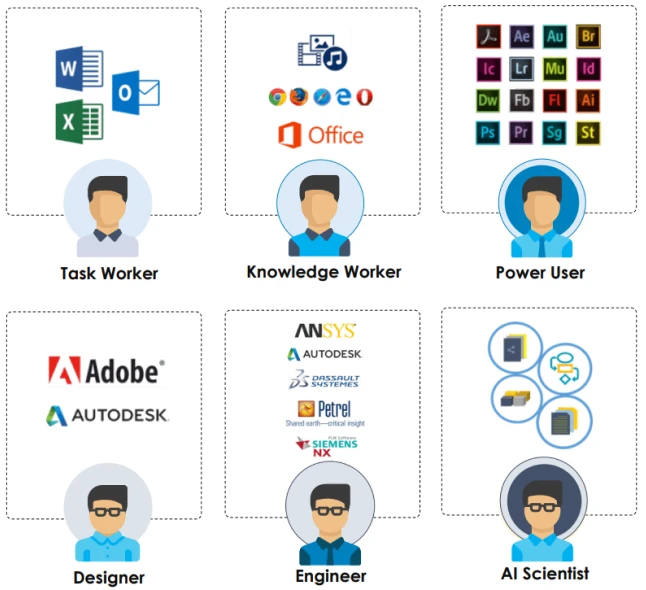
    Ace Cloud Hosting delivers Solid Edge-optimized virtual desktops powered by scalable NVIDIA vGPU technology, enabling engineers to design, modify, and visualize complex assemblies without relying on expensive local workstations. Teams can also run related tools such as AutoCAD, Teamcenter, and Microsoft 365 in a centralized cloud environment, ensuring secure collaboration, faster performance, and consistent engineering workflows.

    GPU-accelerated cloud desktops delivering high-performance speed and smooth rendering for CAD, 3D modeling, and resource-intensive design applications.

    Why Choose Ace Cloud Hosting for Solid Edge DaaS Solution?

    Free Migration and Onboarding

    Get hands-on onboarding support from a dedicated VDI team to start working on your Solid Edge application on the cloud without any hassles.
    End-to-end onboarding and management support from a dedicated cloud team

    Increased Savings

    Save on both OPEX and CAPEX by outsourcing your IT infrastructure, reducing hardware expenses and in-house IT costs.
    increased-savings

    Resilient Data Centers

    Located across multiple regions, our SOC 2, HIPAA, and SSAE 16 certified data center partners offer peak performance with 99.99% uptime.
    highly-secure-data-center

    24x7 Human Support

    Our team is available 24x7 through calls, chat, and email, including weekends and holidays, to assist you with your queries.
    continuous-monitoring.webp

    User Experience

    Get superior experience optimized for large Solid Edge assemblies, complex simulations, and centralized design file management, built for multi-version Solid Edge workflows across engineering and manufacturing projects.

    user-experience

    Achieve Leading-edge Success with Ace Cloud Hosting

    Recognized and authorized managed cloud and Desktop as a Service provider.

    ISO/IEC 27001, ISO 20000, ISO 27017 & ISO 27018 Certified

    Ace Cloud Hosting is globally certified in ISO/IEC 27001 (Information Security), ISO 20000 (IT Service Management), ISO 27017 (Cloud Security), and ISO 27018 (Cloud Data Privacy). With a network of SSAE-16 certified, SOC 2, and HIPAA-compliant data center partners across the U.S., we deliver enterprise-grade security, privacy, and reliability you can count on.

    award-image-v1

    Award-Winning
    Application Hosting Provider

    Ace Cloud Hosting has earned accolades from businesses globally, including prestigious awards like “Best Outsourced Technology Provider” by CPA Practice Advisor Readers’ Choice Awards for two consecutive years and “Customer Service Department of the Year” in Stevie Award 2024 in the American Business Awards.

    Frequently Asked Questions

    Is Solid Edge cloud-based?

    Solid Edge is a Windows desktop CAD application. You typically install it on Windows systems, and many teams use virtual desktops to access it remotely.

    Many teams benefit from GPU acceleration for a smoother 3D experience. If you're working with larger models or want better viewport responsiveness, a Solid Edge GPU profile with Solid Edge vGPU support can help.

    Solid Edge cloud deployment can be completed within minutes once the requirements are finalized. Our team manages the entire Solid Edge cloud setup, including provisioning virtual desktops, onboarding users, configuring security, and migrating project data to ensure a smooth transition with minimal downtime.

    Yes. A Solid Edge cloud desktop for freelancers, contractors, or suppliers can provide controlled access without exposing local downloads, while keeping project files in a centralized environment.

    Most Solid Edge add-ons and Windows-based engineering tools work in a hosted desktop environment, depending on your Solid Edge version and licensing. This includes Solid Edge modules, PLM/data management tools (like Teamcenter), custom plugins/macros, Microsoft 365, PDF tools, and cloud storage apps (OneDrive/Dropbox/Google Drive/Box).

    The cost of a Solid Edge cloud workstation depends on CPU/RAM/GPU (NVIDIA/vGPU), storage, user count, and security requirements.

    For enterprise Solid Edge workloads (especially large assemblies), start with a high-clock CPU, 32–64 GB RAM (64 GB for large assemblies), a certified professional GPU, and fast NVMe SSD storage (1 TB+). Siemens lists 16 GB RAM as the minimum for commercial users.

    The best GPU for Solid Edge is a professional workstation GPU that's on Siemens' graphics certification list (because certified drivers matter for stability). In practice, many teams use NVIDIA RTX professional GPUs or AMD Radeon Pro and pick a higher-VRAM tier for large assemblies.

    Yes. Solid Edge large assemblies benefit significantly from GPU-powered cloud workstations with high-clock CPUs, large RAM allocations, and professional GPUs. In a Solid Edge cloud VDI environment, heavy 3D assembly calculations, model regeneration, and viewport rendering are processed by GPU-enabled virtual machines instead of the local device. This improves assembly navigation performance, model loading times, and overall CAD responsiveness when working with complex mechanical designs.

    In a Solid Edge cloud workstation environment, CAD assemblies, part files, and drawing data are stored in centralized cloud storage or engineering data vaults. This setup ensures consistent file access, version control, and faster file retrieval compared to distributing files across multiple local workstations. Many organizations integrate Solid Edge VDI environments with PLM systems such as Teamcenter to manage design data securely.

    Yes. Solid Edge simulation workloads, including finite element analysis (FEA) and design validation processes, benefit from high-performance cloud CPUs and GPU acceleration available in GPU-powered virtual desktops. A properly configured Solid Edge cloud workstation ensures adequate compute resources, RAM capacity, and NVMe storage performance to process simulation datasets efficiently.

    Yes. Solid Edge virtual desktops delivered through optimized VDI display protocols enable responsive 3D CAD interaction, even when accessed remotely. These protocols compress 3D graphics streams, allowing engineers to interact with Solid Edge models, assemblies, and drawings with minimal latency while working from remote offices or home networks.

    In a GPU virtualized environment, physical GPUs are partitioned into vGPU profiles, allowing multiple Solid Edge virtual desktops to access dedicated GPU resources simultaneously. This improves Solid Edge viewport rendering, 3D model rotation, and visualization performance, particularly when working with complex CAD geometries and detailed mechanical assemblies.

    Yes. A Solid Edge cloud virtual workstation can host multiple engineering applications in the same environment. Many organizations run Solid Edge together with AutoCAD, simulation tools, PLM software, and Microsoft productivity applications within a single GPU-powered virtual desktop, ensuring engineers can access all required tools without switching systems.

    In a Solid Edge cloud VDI environment, engineering teams access the same centralized CAD workspace, which helps maintain consistent Solid Edge versions, shared assemblies, and synchronized design data. This enables real-time collaboration between product designers, suppliers, and manufacturing engineers while preventing version conflicts.

    For smooth performance, Solid Edge cloud desktops typically require a stable broadband connection with low latency. Since the Solid Edge application runs on the cloud workstation, the local device primarily streams the interface. A stable connection ensures responsive model manipulation, drawing edits, and 3D visualization when accessing Solid Edge remotely.

    In a Solid Edge managed cloud workstation environment, administrators can centrally manage software updates, patches, and plugin installations across all virtual desktops. This ensures all engineers operate on the same Solid Edge version, improving compatibility between assemblies, drawings, and project files.

    Yes. Solid Edge virtual desktops can support multi-monitor configurations, allowing engineers to distribute assemblies, drawings, and tool palettes across multiple displays. This helps maintain the same productivity workflow engineers expect from high-end local CAD workstations.