Table of contents Toc Icon
Table of contents Toc Icon
Ranking Methodology & Disclaimer: This article is prepared using the AceRank Framework, Ace Cloud Hosting’s editorial methodology based on publicly available information. The rankings are for informational purposes only and do not represent an official certification, endorsement, partnership, or definitive measure of quality.
Cloud desktops are changing how we work and access information. They allow employees to access business applications, files, and desktop environments remotely without depending on a specific office computer.
Cloud desktop service providers give users access to virtual desktops from supported devices over an internet connection. This reduces dependence on company-managed physical workstations while supporting remote work, collaboration, and access to business applications from different locations.
These services provide more than just convenience; they offer flexibility, scalability, and enhanced security. Users can quickly adjust resources without the need for new hardware.
The centralized nature of cloud desktops also makes updates, access controls, and security policies easier for IT teams to manage. Cloud desktops help businesses and individuals work more efficiently and flexibly.
Let’s start by knowing how to choose the right cloud desktop service provider for your business.
Try Ace Cloud Hosting’s VDI for seamless remote work, top-notch performance, and white-glove support that outshines the competition.
Choosing a Trustworthy Cloud Desktop Service Provider
To get the full benefit of cloud desktop, choose a trustworthy provider. From a market perspective, choosing the wrong provider could lead to issues such as downtime, data breaches, and lost productivity.
A cloud desktop service provider usually provides access to a secure virtual desktop environment that meets your specific needs. You can also leverage high uptime guarantees, regular backups, and robust security measures to protect your data and applications from cyber threats.
Moreover, a cloud desktop provider must offer responsive technical support and clear service terms. This is crucial for businesses that rely on virtual desktops and handle confidential data.
Where your business data is stored depends on the service and deployment model. Some providers host workloads in their own cloud infrastructure, while others support public cloud, private cloud, on-premises, or hybrid environments. This makes it important to review the provider’s security controls, backup approach, data location, and compliance options.
By doing due diligence and choosing a reputable provider, you can get the benefits of hybrid or remote work while reducing infrastructure and security risks.
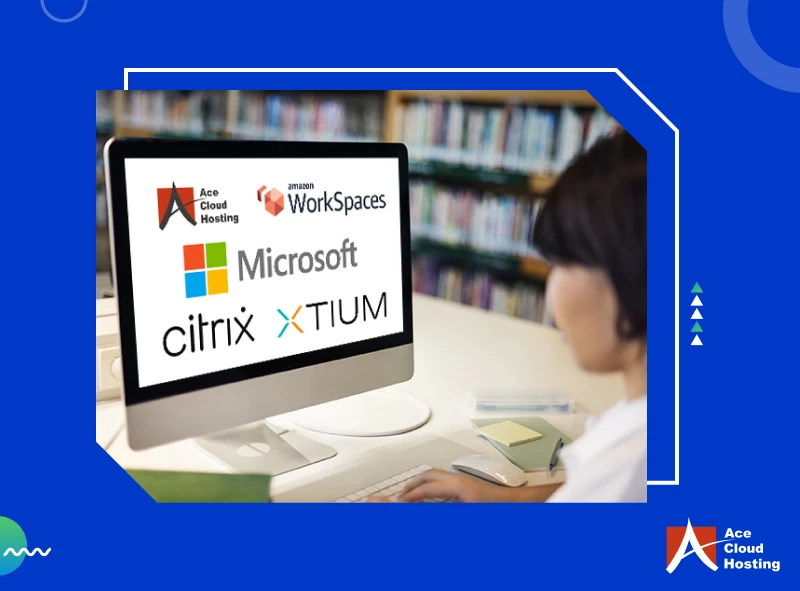
Top 5 Cloud Desktop Providers in 2026
1. Amazon WorkSpaces
Amazon WorkSpaces is a leading cloud desktop provider. Focusing on security and reliability, Amazon WorkSpaces provides businesses with a fully managed virtual desktop service that can be centrally managed through AWS. Users can access their desktops from supported devices and web browsers.
For small and large enterprises, Amazon WorkSpaces offers different desktop configurations and billing options for a range of workloads.
With Amazon WorkSpaces, businesses can provision and manage virtual desktops, securely deliver applications, and provide remote access to their employees.
Plus, with management tools, businesses can monitor usage and manage desktop resources from the AWS Console. AWS offers WorkSpaces Personal for persistent desktops, while its broader WorkSpaces portfolio supports other end-user computing requirements.
- License Flexibility: Organizations can bring eligible Windows 10 or Windows 11 desktop licenses to Amazon WorkSpaces when their Microsoft licensing agreement permits it. AWS also supports eligible Microsoft 365 Apps for enterprise licenses on supported WorkSpaces configurations.
- Security: Amazon WorkSpaces supports encryption for desktop traffic and optional encryption of WorkSpace storage volumes using AWS Key Management Service (AWS KMS). For DCV-based WorkSpaces, streaming traffic uses TLS encryption, including TLS 1.3 for UDP traffic.
- Flexible Pricing: WorkSpaces Personal offers AlwaysOn monthly billing for regular users and AutoStop pricing that combines a monthly base fee with hourly usage charges for part-time users. Costs vary by region, operating system, storage, and desktop configuration.
- Microsoft 365 Flexibility: Eligible Microsoft 365 subscriptions can be used to install and activate Microsoft 365 Apps for enterprise on supported WorkSpaces. Organizations should verify that their licenses meet Microsoft’s requirements before deployment.
- Audio and Video Optimization: Amazon WorkSpaces supports optimization options for unified communication tools such as Zoom, Microsoft Teams, and Webex. Available optimization methods depend on the WorkSpaces protocol, application, and endpoint configuration.
2. Ace Cloud Hosting
Ace Cloud Hosting is an award-winning cloud service provider with 15+ years of experience in the cloud industry. They offer various VDI solutions, including Desktop as a Service, GPU Virtual Desktop, Windows Virtual Desktop, Linux Virtual Desktop, Managed Citrix Desktop, and more, tailored to your business needs.
Here’s how they stand out from other cloud desktop providers:
- Hardware-Agnostic: Ace Cloud Hosting DaaS is hardware-agnostic, reducing the need to replace existing endpoint devices with high-end workstations.
- Multi-device Compatibility: The company supports cloud desktop access from Windows, Linux, and Mac devices, allowing distributed teams to access their work environments remotely.
- Enhanced Security: It provides features such as AES-256 encryption, MFA, anti-keylogging, anti-screen capture, CrowdStrike endpoint protection, controlled USB access, and 30-day rolling backups. The company also maintains technology partnerships with providers including Citrix, Microsoft, AWS, and CrowdStrike.
- Data Center Infrastructure: The company has partnered with Tier 4 and Tier 5 data centers located in the U.S., Singapore, and other locations. The data centers meet standards and requirements, including SOC 2, SSAE 16, and HIPAA.
- Flexible Pricing: Ace Cloud Hosting states that its DaaS plans start as low as $32 per user, with pricing varying by desktop resources and business requirements. Customized configurations are also available.
3. Citrix
Citrix is a virtual application and desktop platform that supports DaaS, VDI, cloud, on-premises, and hybrid deployments. It enables organizations to deliver desktops and applications to users across supported devices while centrally managing access and policies.
- Flexible Deployment: Deliver virtual apps and desktops from public cloud, on-premises, or hybrid infrastructure. This allows businesses to choose where their desktop workloads run instead of requiring an entirely cloud-hosted environment.
- Security Controls: Provides multiple options for protecting desktop sessions. Secure HDX, for example, can provide AES-256 encryption for session data, while TLS/DTLS can protect network traffic. Available security and compliance capabilities depend on the service edition and deployment configuration.
- Windows and Linux Support: Supports virtual desktops and applications across supported Windows desktop, Windows Server, and Linux environments. Supported operating systems vary by VDA release and hosting platform.
- Simplified Management: Citrix simplifies desktop management by offering centralized tools that allow businesses to manage virtual desktops and applications from a common environment.
- Pricing: Citrix DaaS pricing depends on the subscription and deployment model. Current Citrix documentation states that organizations can subscribe through Citrix or the Azure Marketplace, while product trials can be requested before moving to a paid subscription.
4. Microsoft
Microsoft offers Azure Virtual Desktop, a desktop and application virtualization service that runs on Azure. It can deliver full Windows desktops or individual applications to remote users. Azure Virtual Desktop supports access from Windows, macOS, iOS/iPadOS, Android/Chrome OS, and web browsers through the Windows App.
It gives businesses flexibility to build desktop environments around different workloads and user requirements.
- Flexible Desktop and App Delivery: Azure Virtual Desktop supports Windows 11, Windows 10, and Windows Server environments. Organizations can deliver either full desktops or individual applications through RemoteApp.
- Scalability: Virtual Desktop includes auto-scaling capabilities that administrators can configure to power session hosts on or off, or, in supported configurations, create and delete session hosts based on schedules and demand. Autoscaling is configured as part of the environment rather than being automatically applied to every deployment.
- Profile and Data Management: Microsoft recommends FSLogix profile containers for managing user profiles in Azure Virtual Desktop. These profiles can be stored on services such as Azure Files or Azure NetApp Files, depending on the deployment.
- Backup and Recovery: Azure VDI does not automatically back up every session host or user file. Microsoft states that customers are responsible for the resiliency, backup, and recovery of their session hosts. Services such as Azure Backup can be configured to protect session hosts and Azure Files where required.
- Pricing: Virtual Desktop costs depend on the Azure resources used, including virtual machines, storage, networking, and applicable licensing. Autoscale can help reduce compute costs by adjusting session-host capacity based on demand.
5. XTIUM
XTIUM is a Gartner-recognized Desktop-as-a-Service provider. It offers managed cloud desktops for remote and hybrid work environments.
Employees can securely access company apps and data from supported endpoints. The system keeps business data in the hosted environment instead of relying on storage on individual endpoint devices, helping reduce exposure if a device is lost or stolen.
- Flexible Deployment: Supports public, private, and hybrid DaaS environments. Its current DaaS material includes deployments across Microsoft Azure, XTIUM private cloud infrastructure, and hybrid environments, while its Cloud Manager platform supports broader hybrid and multi-environment management.
- Predictable Costs: Positions DaaS as offering predictable per-user costs that can include infrastructure, updates, and support. This approach makes desktop expenses easier to forecast compared to managing individual physical workstations.
- Hardware Refresh Savings: Hosting desktops in the cloud can extend the lifespan of existing endpoint devices. Users can access remotely hosted compute resources without replacing every device with a high-performance workstation.
- Centralized Management: Allows IT teams to manage virtual desktops, updates, security, and troubleshooting from a centralized platform.
- Managed Support: Provides 24/7 support and managed services for organizations that want to offload day-to-day desktop administration and maintenance.
Experience Ace Cloud Hosting’s VDI free – secure, high-performance remote desktops backed by 24/7 expert support.
Which Is the Best Cloud Desktop Provider for Your Business?
The cloud desktop market offers businesses different approaches to virtual desktop delivery. Some providers focus on hyperscale public cloud infrastructure, while others provide managed DaaS, hybrid deployments, or greater control over the underlying environment.
Whether you’re a small business starting remote work or a large enterprise looking to simplify desktop management, the right choice depends on your workload, security requirements, existing licenses, preferred cloud platform, support needs, and budget.
Before choosing a provider, compare its desktop management capabilities, security controls, supported applications, backup options, deployment model, pricing structure, and technical support.
Want to test a managed cloud desktop before making a decision? Start your 7-day free virtual desktop trial today.