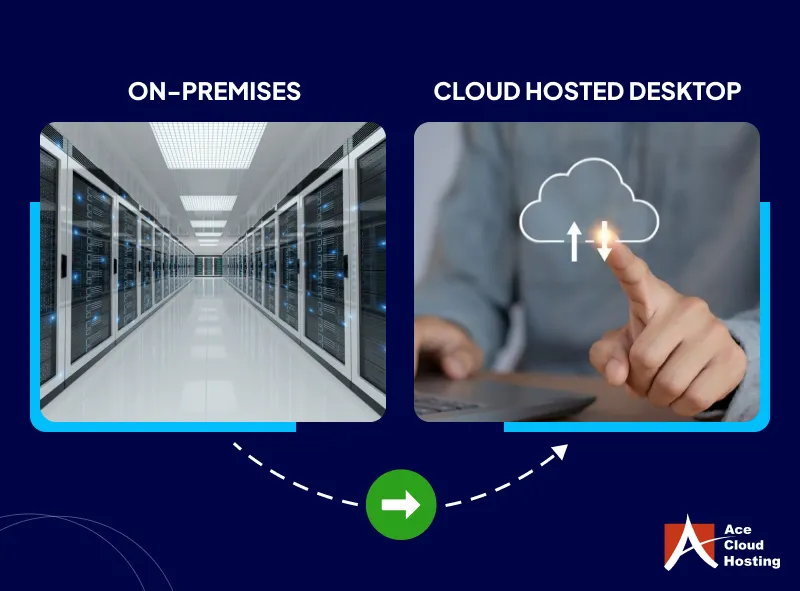
Table of contents Toc Icon
Table of contents Toc Icon
QuickBooks Desktop still plays a major role in many accounting firms and small businesses. Teams know the workflow, rely on multi-user access, and often use add-ons that are already tied to daily work.
When QuickBooks Desktop runs on an office server, remote work often relies on VPNs, remote logins, or a mix of tools that were never designed to deliver a smooth experience. That can slow users down, create inconsistent performance, and make security harder to manage. If the office network fails or the server goes down, work can stop completely.
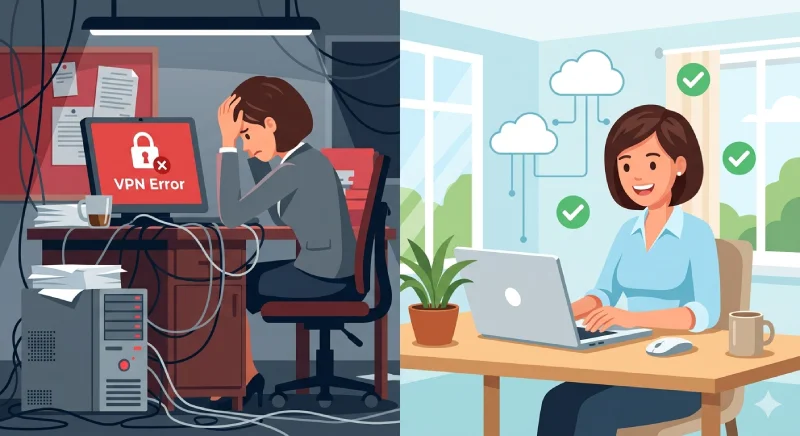
That’s why many firms move QuickBooks Desktop to a hosted environment. Not because it is trendy, but because it makes access more reliable, reduces IT headaches, and keeps the same desktop software the team already knows. QuickBooks Desktop Hosting is often the simplest next step because it upgrades how you run QuickBooks without forcing a switch to a new platform.
This guide explains the move from on-premises to hosted, and how hosting can support a hybrid or SaaS plan later. You’ll also get a quick readiness checklist and provider questions to help you avoid surprises.
The Current State: Why the Legacy Model Becomes a Liability
An on-premises setup can function effectively for years. This is why many firms continue to use it. The problems usually arise gradually. Instead of focusing on analysis, client support, and timely decision-making, staff can end up spending too much time just managing access, moving files, or working around system limitations.
A familiar setup may feel safe, but that does not always mean it is efficient. What feels safe may actually be slowing the firm down, increasing risk, and making it harder to adapt.
For QuickBooks Desktop users, the pain usually shows up in the same places:
- Remote work depends on layers of tools and workarounds.
- Performance varies based on office bandwidth, VPN stability, and server health.
- Security becomes a patchwork of best intentions.
- Downtime is treated as a cost of doing business instead of a measurable operational failure.
A significant issue in most technology strategies is the lack of specific measures and values related to opportunity costs. Many organizations do not monitor downtime, so IT quality is not managed with meaningful data. That leads to technology being treated as a cost to minimize instead of a resource to optimize.
When that happens, firms miss strategic opportunities to build stronger client relationships and deliver better service.
The Mindset Shift: From Systems of Record to Systems of Engagement
Traditional accounting systems’ main job was to store transactions, support compliance, and keep the back office running. The next stage is the rise of “systems of engagement,” collaboration, and communication layers that help people work together more efficiently.
Cloud-based environments make real-time collaboration easier and remove location as a barrier for most day-to-day accounting work. Even if your firm intends to remain on QuickBooks Desktop, your deployment model is still important. It can either support the way modern teams work or continue to hold them back.
Instead of passing files around, dealing with duplicate copies, or wondering who has the latest version, with Hosted QuickBooks Desktop, firms can centralize the application and company data in one secure environment. That allows staff and approved stakeholders to work in the same system from anywhere, with more control and fewer interruptions.
Your Step-by-Step Journey To Hosted QuickBooks
Step 1: Get Honest About Private Cloud Reality
Some firms try to solve these problems by building their own private cloud environment using virtualization, storage systems, remote access tools, and stronger firewalls. In some cases, that does improve flexibility and extend the life of existing infrastructure.
Backups may become more frequent. Systems may become easier to manage. Day-to-day reliability may improve with Managed Services.
But even with those improvements, the biggest risks often remain the same. A single-site setup is still vulnerable to local power outages, internet disruptions, hardware failures, and physical incidents such as fire, flooding, or other facility-level issues.
If QuickBooks Desktop is critical to daily operations, those risks should be treated as business risks, not just IT inconveniences. The question is not whether your current setup can keep working. The real question is whether it can keep supporting your team when something goes wrong.
Step 2: Move QuickBooks Desktop into a Hosted Environment
Hosting involves relocating the servers and applications that your firm relies on to a professionally managed data center. For many companies, this is where QuickBooks Desktop Hosting becomes a logical next step.
Data centers typically offer redundant power, multiple generators, redundant communication lines from multiple providers, strong physical security, fire suppression, and facilities built to withstand notable forces of nature. Tier classifications (Tier I through Tier V) describe the minimum infrastructure resilience and fault tolerance requirements.
From a practical QuickBooks Desktop Hosting perspective, hosting can change the economics and operational burden in several ways:
- You reduce or eliminate the need to select, install, and upgrade servers and storage on your own.
- You keep using software that staff already know, but on a secure, hosted desktop rather than fragile remote access.
- You gain a stronger starting point for business continuity and disaster recovery because redundancy is built into the facility.
This is also where many firms learn a key lesson: hosting is not only about relocating servers. It is about simplifying the operating model. The environment is standardized, and updates and integration responsibilities can shift to the hosting provider, allowing staff to spend less time fighting infrastructure issues.
Keep the software you trust while eliminating downtime, VPN issues, and server headaches with secure cloud hosting.
Step 3: Address the Real Bottleneck, Connectivity, and Performance
Hosting has real challenges. Bandwidth, latency, access control, and software authorizations can affect the experience. The recommendation is to plan bandwidth per user, aggregate vendor guidance, and be conservative, especially during month-end and tax deadlines.
This is where a QuickBooks Desktop Hosting journey becomes more than an IT decision. It becomes an operating discipline. If you want hosted QuickBooks Desktop to feel fast and reliable, you must treat connectivity as part of your production environment.
Step 4: Expand Hosting Beyond a Single Application, with QuickBooks as the Anchor
Hosting sometimes starts with a single application, like QuickBooks, and then progresses to other applications such as Drake or UltraTax. As more applications move to the cloud, firms recognize that hosting everything becomes feasible, especially if systems are virtualized.
For QuickBooks Desktop users, the most practical sequence often looks like this:
- Host QuickBooks Desktop and the company files with an Intuit Authorized managed hosting provider such as Ace Cloud Hosting.
- Host the supporting components that create friction, such as document storage, scanning workflows, and related utilities.
- Add other core applications that must live near QuickBooks for performance or integration reasons.
- Standardize user access via secure, hosted desktops to ensure a consistent workflow for staff, managers, and seasonal teams.
This staged approach protects productivity while steadily reducing on-premises complexity.
Step 5: Prepare for SaaS, even if you are Not Ready to Switch
SaaS represents a significant opportunity, as many valuable services have evolved, and enhanced internet reliability enables cloud applications to function much like local applications or hosted remote desktops. SaaS vendors can offer safeguards that may not be economically feasible for a single firm to implement, and SOC reporting frameworks help users evaluate controls and assess trust principles.
Even if QuickBooks Desktop remains your official system of record, SaaS point solutions can still enhance the way your firm and clients operate. Workflow management, bill payment, payroll preparation, outsourced accounting tools, and sales tax compliance services can reduce manual steps and improve timeliness. In this model, hosted QuickBooks Desktop can remain the anchor while SaaS applications solve targeted process problems around it.
Due diligence still matters. SaaS contracts, SLAs, EULAs, backup and export rights, and integration strategies must be understood. Some vendors restrict exports or claim ownership rights, which can create operational risk. Hosting does not remove the need for due diligence either, but it can offer greater continuity for firms that want cloud benefits without changing their core accounting platform immediately.
Step 6: Use the Cloud Shift to Redesign Services, not Just Infrastructure
The opportunity is not just technology. It is the process and client service model that technology enables. Collaboration between the firm and the client becomes easier when systems are connected and accessible anytime, anywhere. This shift supports a move away from purely transactional engagements toward services that deliver real-time reporting, dashboards, alerts, and higher-frequency insights.
Hosting QuickBooks Desktop allows the firm to maintain a more consistent operational flow throughout the month. Instead of waiting until the end of the period to batch work, teams can provide clients with more timely data, relevant KPIs, and alerts based on exceptions. This shift transforms the dialogue from compliance-focused to performance-oriented guidance.
Step 7: Build a Hybrid Future that Matches Reality
Hybrid is not a compromise; it is often the correct architecture for the intermediate term. Some problems are solved best with SaaS. Some workflows still depend on legacy applications. Some firms have regulatory or client constraints that require specific deployment choices.
Hybrid solutions allow firms to combine hosted desktops, hosted servers, and SaaS tools to solve real problems, rather than forcing a single platform to do everything.
For QuickBooks Desktop Hosting, hybrid often becomes the most practical “destination” for a long time:
- Hosted QuickBooks Desktop for stability, performance, and controlled access.
- SaaS tools for workflow automation, bill pay, payroll, and client-facing portals.
- Integrated reporting and dashboards that deliver real-time or near real-time visibility.
- A gradual plan to evaluate whether, when, and how a full SaaS accounting platform makes sense.
Use A QuickBooks Desktop Hosting Readiness Checklist
This quick checklist helps you define what you need from hosting so you can choose the right setup and avoid gaps after the move.
| Category | Checklist |
| QuickBooks setup | ☐ How many users need concurrent access? ☐ Which QuickBooks Desktop edition are you using (Pro/Premier/Enterprise)? ☐ What year/version are you on? ☐ Do you use multi-user mode? ☐ Do you need role-based access (by user type/department)? ☐ Which add-ons do you use (payroll, inventory, payments, reporting, time tracking)? ☐ Do any users need admin-level permissions or special access? |
| Performance and connectivity | ☐ Do you have stable internet at every work location? ☐ Do you have a backup connection (secondary ISP, hotspot, failover)? ☐ When are your peak usage windows (month-end close, payroll, tax deadlines)? ☐ Do you need printers, scanners, or document workflows connected to QuickBooks? ☐ Do you need SLA-backed server uptime from the vendor? |
| Security and access | ☐ Will you enforce MFA for all users? ☐ Do you need access limits by device, role, location, or IP address? ☐ Who needs access: staff, clients, contractors, seasonal users? |
| Data protection and recovery | ☐ What backup frequency do you need? ☐ What retention period do you require? ☐ How quickly do you need restores if something breaks? ☐ Do you want a backup copy outside the hosting provider as well? |
| Operations and support | ☐ What support hours do you need, especially during the busy season? ☐ Who will handle onboarding and offboarding of users? ☐ Do you need an exit plan for moving data out later? |
Boost performance, enable remote teams, and build a scalable cloud foundation—without switching from QuickBooks Desktop.
Consider QuickBooks Desktop on the Cloud as a Strategic Bridge
Moving from on-premises to hosted is not one big jump. It is a series of smart choices that balance risk, cost, and day-to-day workflow. When you host QuickBooks Desktop, you reduce common issues like unstable remote access, patchy security, and downtime.
You also give your team steady access, greater continuity, and a stronger foundation for real-time collaboration. Most importantly, you can modernize your process and add SaaS tools over time without forcing an immediate switch away from the QuickBooks Desktop setup your team already depends on.
Firms that do not track downtime, treat IT as a cost to cut, and stay stuck in legacy setups often face higher long-term costs, weaker service delivery, and growing staffing pressure.
A better approach is to treat cloud adoption as a process improvement, not just infrastructure. With Ace Cloud Hosting, QuickBooks Desktop Hosting becomes a practical step toward a more consistent, secure, and scalable way to serve clients, while keeping the tools and workflows that still run much of the accounting world. Start a free 7-day trial today!