Table of contents Toc Icon
Table of contents Toc Icon
Whether you’re an engineer, data scientist, or researcher, MATLAB has been the go-to solution for numerical computing, control design, algorithm development, and visualization.
Traditionally, professionals were quite content with using MATLAB on local workstations. However, as data sets have grown and technologies like AI have emerged, professionals have started looking for alternatives to hosting MATLAB that can handle compute-intensive workloads.
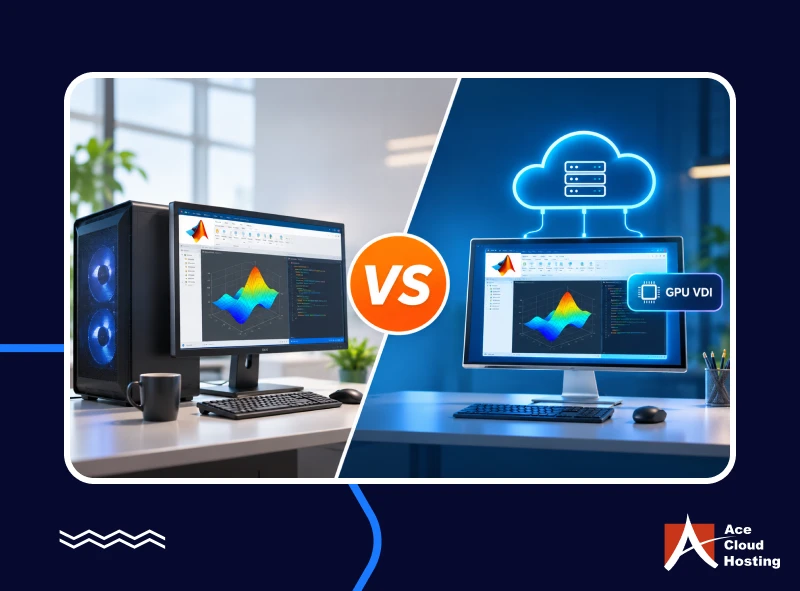
GPU virtual desktop for MATLAB is one solution that has come into prominence as an alternative to local workstations. In this blog, we will compare the two so you can make the right decision.
1. GPU Acceleration
MATLAB must perform multiple operations, such as mathematical modeling, Fourier transforms, and algorithms. However, some toolboxes, such as Statistics and Machine Learning Toolbox, Image Processing Toolbox, and Deep Learning Toolbox, require GPU support. For instance, Deep Learning Toolbox can use a GPU to train networks. You can use the “GPU array” argument to run these toolboxes on the GPU.
A local workstation with GPU support (NVIDIA only) can support these toolboxes to a certain extent. However, acceleration depends on factors such as GPU version, memory, and instances.
GPU virtual desktops, on the other hand, let you customize the GPU profile to match your requirements and workloads. You can choose memory, cores, and even GPU versions.
Run demanding simulations and AI workloads on GPU-powered cloud desktops without hardware upgrades.
2. Data Management
Complex MATLAB projects involve large numbers of files and data, whether imaging stacks, sensor recordings, or simulation output. These data inputs must be stored and accessed frequently to perform critical operations.
In a local workstation scenario, these files are generally stored not on the device but on local servers because of obvious hard disk limitations. These files must be shared through local networks, which can cause downtime due to bandwidth or configuration issues.
In contrast, GPU virtual desktop providers deploy hardware and network redundancy to ensure superior performance and uptime. All datasets and operations run on the backend. As a result, even if you log out of the cloud portal, operations continue normally.
3. Deep Learning and AI Support
Engineers can use MATLAB’s Deep Learning Toolbox for tasks such as training neural networks, image classification, and predictive modeling. These tasks require GPU support because they involve processing a large number of computations in real time.
Because the local workstation has a physical graphics card, some complex workloads can surpass the GPU’s capabilities. On the other hand, GPU virtual desktops offer virtual resources (vRAM, vGPU) that you can upgrade based on the training algorithm.
If deep learning models evolve over time, these resources can match the requirements. You can also switch between the NVIDIA GPUs supported by MATLAB, an option that is not available on local workstations without hardware replacement.
4. CPU Cores and Memory Bandwidth
MATLAB’s Parallel Computing Toolbox facilitates simultaneous multi-core and GPU processing for graphics and compute-intensive tasks. Engineers can also run multiple simulations at once using Simulink. However, on a local workstation, limited core count and memory bandwidth restrict performance.
GPU virtual desktops have no restrictions on the CPU or GPU count. You can choose any number of vCPUs and vGPUs to create a customized virtual desktop that can handle graphics- and compute-intensive tasks in parallel.
5. Plugin and Toolbox Integration
MATLAB integrates with various toolboxes (add-on applications), AI agents, programming languages, and development environments. It helps you create an environment customized to the project and engineering team preferences. But the local workstation’s resources are finite and cannot be customized to different projects. As you add more applications, they consume most system resources and degrade MATLAB’s performance.
With GPU virtual desktops, you can integrate MATLAB with any number of applications, toolboxes, and AI agents. You can upgrade virtual resources instantly to meet requirements. You can also provision multiple project-specific instances with different MATLAB versions.
6. Round-the-clock Performance
Some tasks, such as simulation or training, demand sustained performance for long periods, hours or even days. However, delivering such sustained output depends mainly on the hardware. A local workstation running for long periods is bound to heat up. Moreover, internal IT issues related to power or cabling can halt the process. Other background applications on the local desktop can also affect performance.
GPU virtual desktops run in cloud environments in Tier-4 or Tier-5 data centers. These data centers deploy hardware redundancy, load balancing, and multiple safeguards to ensure sustained performance, not just peak periods. The virtual desktops are part of a large pool of IT resources that can deliver peak performance 24/7.
7. System Responsiveness for Compute-intensive Tasks
A local workstation is used for many tasks other than MATLAB. Moreover, the operating system, security tools, and other complementary functions use its resources. In addition, while running a compute-intensive task such as simulations, an engineer might also send email or access files, all of which consume resources.
With GPU virtual desktops, you can provision dedicated instances for MATLAB. These instances provide a private environment where all system resources are used only for MATLAB. The local workstation’s resources don’t matter because it is used only to access the application.
8. Tech-Readiness Without Investments
As engineering designs and scientific models evolve, MATLAB system and GPU requirements will only increase over time. On a local workstation, this means constantly replacing the graphics card, upgrading RAM and storage, or refreshing hardware.
GPU virtual desktop providers always give you access to the latest technologies without requiring you to invest in on-premises hardware. They upgrade the VDI infrastructure periodically without hampering your operations.
Get scalable GPU resources, dedicated desktops, and 24/7 support with a 7-day free trial.
Final Verdict
The decision to choose between local workstations and GPU virtual desktops depends on your current IT infrastructure and business requirements. For instance, if you recently upgraded your local workstation to the latest MATLAB configuration, you might stick with it.
However, if you constantly experience performance issues, such as lag and application shutdowns, it may be time to switch to virtual desktops. A GPU virtual desktop delivers superior performance for longer periods, without the hassles and costs of local workstations. It also provides essential scalability and flexibility for MATLAB operations.
Don’t decide now. Opt for a free trial first.
Ace Cloud Hosting offers a 7-day free trial of high-performance GPU virtual desktops tailored for MATLAB, with unlimited add-on integrations, a 99.99% uptime guarantee, 24/7/365 customer support, and dedicated single-session desktops. Book your free trial today and experience seamless MATLAB performance in the cloud.