Table of contents Toc Icon
Table of contents Toc Icon
Engineering teams play a critical role in every AEC project. They validate models, detect clashes, and ensure structural integrity and compliance. As architectural designs become more complex and teams collaborate across locations, traditional office desktops struggle to meet growing performance and accessibility needs.
Hosted cloud desktops allow engineers to access BIM applications from anywhere. However, CPU-based virtual desktops fail to handle graphics-intensive workloads effectively. Engineers experience lag, application crashes, and unresponsive screens, which disrupt productivity.
Engineering teams are now adopting GPU-powered cloud desktops to address these challenges. These environments deliver high performance, support real-time collaboration, and provide the flexibility modern workflows demand. They also help organizations control operational costs and improve overall efficiency.
How GPU Cloud Desktops Solve Engineering’s Biggest Workflow Challenges
Let’s discuss why cloud GPU desktops are the ideal solution for modern engineering teams.
1. Facilitates Graphics-intensive Tasks on Remote Devices
Engineering is a mobile operation as professionals are required to visit sites frequently for safety inspections and quality checks. However, when the BIM application is installed on local systems, it becomes impossible to get real-time updates on the project status. It results in constant back-and-forth between the site and the office.
GPU cloud desktops overcome this issue by enabling engineers to access the application and designs on personal devices. However, while accessing the application remotely, engineers often experience lag, application crashes, and unresponsive screens. It is because traditional CPU-based virtual desktops are not capable of processing graphics-intensive workloads.
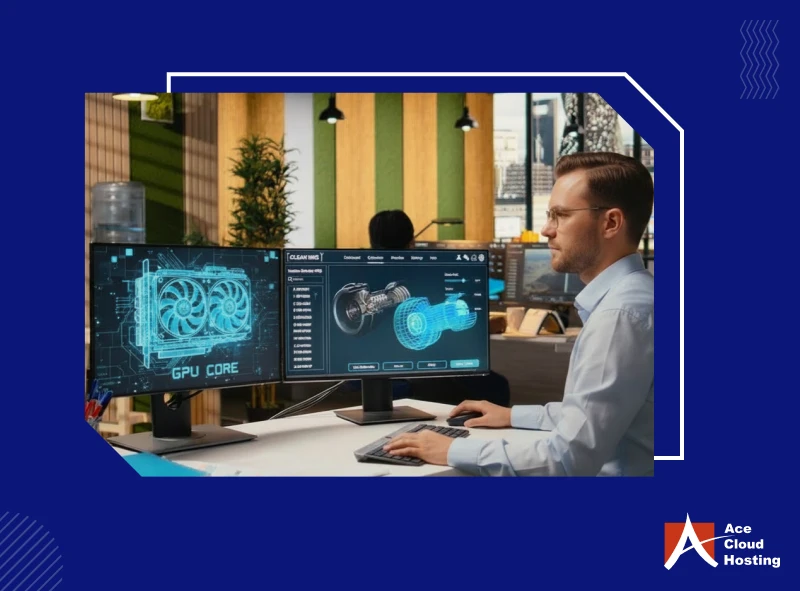
A GPU cloud desktop overcomes both these limitations. It offers engineers GPU-optimized performance on remote devices to process graphics-intensive tasks in real time. Engineers can use their personal devices, such as phones, laptops, and tablets, to work on BIM or CAD applications without lag.
2. Supports Real-time Rendering and Simulations
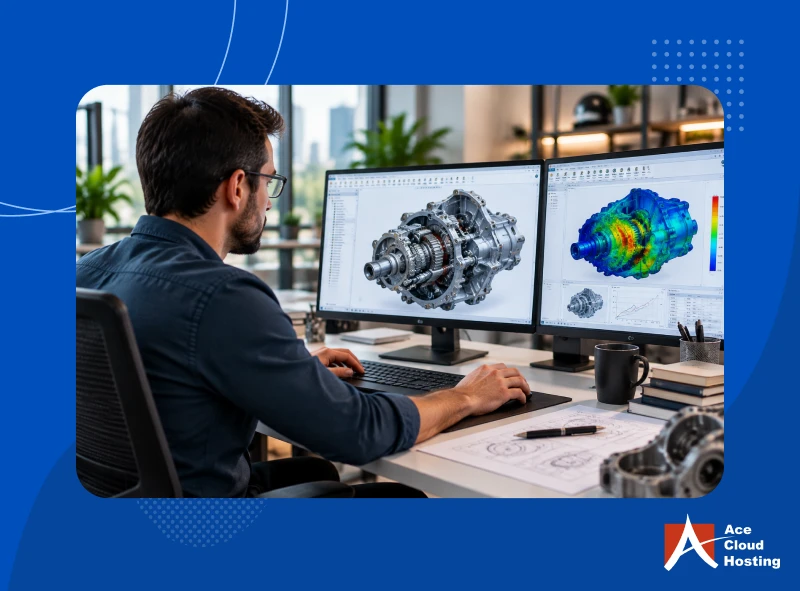
Engineering teams rely on visualization and rendering to identify design errors, detect clashes, and validate the structural integrity of 3D models. However, modern simulations and high-resolution renders demand significant GPU power, which traditional desktops often fail to deliver consistently.
GPU cloud desktops provide on-demand, high-performance GPUs such as NVIDIA RTX from centralized data centers explore — GPU-powered virtual desktop plans that support these configurations.
Engineers can render complex 3D scenes and run intensive simulations in tools like Autodesk Revit without depending on expensive local hardware.
These environments support real-time ray tracing and distribute workloads across multiple GPU cores, enabling faster computations and high-fidelity output. Engineers can interact with models in real-time, run simulations instantly, and accelerate design reviews, validations, and approvals.
3. Optimizes Workflows
An AEC project is a collaborative effort. The engineering team must collaborate with architects, designers, modelers, and contractors for structural review and validation — a challenge explored in depth in our guide on how GPU desktops keep construction projects on schedule.
However, in a traditional desktop setup, it becomes challenging for engineers to coordinate with other stakeholders as they operate from diverse locations. Consequently, they must share files by email, leading to miscommunication and multiple versions. This disruption in the workflow causes project delays.
GPU cloud desktop offers engineering teams a centralized platform for data storage. Engineers can share project plans, models, and frameworks with the architecture and construction team on the cloud. All stakeholders can access the same file simultaneously and make changes, which are visible to other stakeholders in real time. Moreover, all professionals can work on applications from different locations. They can also share structural designs with the clients for approval.
Access GPU-powered cloud desktops for CAD, BIM, simulations, and real-time rendering from any device.
4. Facilitates Smooth Processing of Extensive Workloads
Advanced architectural designs require resource-intensive complex tasks, such as FEA analysis, simulations, crash detection, and reinforcement design. These tasks require parallel processing and graphics support. Accomplishing these tasks on a traditional workstation results in an extended processing time, suboptimal output, or application crashes.
GPU-powered cloud desktops are built to handle these intensive workloads. They combine high-performance CPUs with powerful GPUs to process complex engineering tasks efficiently. The system offloads graphics-intensive operations to the GPU, enabling faster computations and stable performance across applications.
These environments deliver high-quality rendering and a responsive experience for CAD, CAM, and 3D modeling tools. Engineers can run heavy workloads seamlessly from any device, without performance bottlenecks or dependency on high-end local hardware.
5. Ensures Business Continuity
Engineering projects depend on continuous access to BIM models, simulations, and project data. Any disruption, whether a cyberattack, system failure, or site-level incident, can halt design validation, delay clash detection, and push project timelines off track. When teams rely on on-premise desktops, even a single point of failure can block access to critical files and applications.
GPU cloud desktops remove this risk by hosting engineering environments in secure, redundant data centers. Engineers can access BIM applications and project data from anywhere, ensuring that design work, simulations, and reviews continue without interruption.
Reputable DaaS providers implement robust Business Continuity and Disaster Recovery (BCDR) strategies, including real-time data replication across multiple locations. Even if one data center goes down, teams can continue working on the same models with minimal disruption. This ensures that engineering workflows stay on track and project deadlines remain achievable.
6. Simplify Hardware Management
Engineering workloads demand consistent GPU performance, but managing physical workstations adds complexity. Teams must handle hardware procurement, setup, upgrades, and ongoing maintenance. As project requirements change, scaling or upgrading local systems becomes time-consuming and expensive, which can slow down engineering workflows.
GPU cloud desktops eliminate the need to buy, install, or maintain high-end workstations or servers. DaaS providers handle maintenance, driver updates, and GPU patching, which reduces the workload on internal IT teams and ensures systems remain optimized for engineering applications.
This model also shifts spending from capital expenses to operating expenses, giving teams more financial flexibility. Engineering firms can run AI-driven design, rendering, and simulation workloads without heavy upfront investments, while focusing resources on project delivery instead of IT management.
7. Optimizes Data Security and Compliance
Engineering teams handle highly sensitive data, including BIM models, design schematics, and client project files. Any breach or unauthorized access can disrupt project timelines and damage client trust.
Moreover, credential exposure remains one of the biggest risks for construction and engineering firms. According to ReliaQuest, credential exposure accounts for nearly 75% of security alerts in the construction sector. Traditional IT environments often lack the visibility and control needed to manage these evolving threats effectively.
GPU cloud desktops strengthen security by centralizing data and applications in protected environments instead of local machines. Providers implement multi-layered security frameworks that include multi-factor authentication and single sign-on to prevent unauthorized access.
They also deploy advanced safeguards, such as intrusion detection and prevention systems (IDPS), 24/7 network monitoring, distributed firewalls, and 256-bit data encryption, to secure data in transit and at rest. This approach helps engineering teams maintain compliance while keeping critical project data secure.
8. Minimizes Cost
IT costs directly impact the profitability of engineering projects. Teams often invest in high-end workstations to run CAD and BIM applications, along with additional expenses for hardware upgrades, maintenance, and IT support. For smaller firms, these costs can quickly become a barrier to scaling operations.
GPU cloud desktops replace these upfront investments with a flexible, pay-as-you-go model. Engineering teams can access high-performance environments without purchasing expensive hardware or managing on-premise infrastructure. This shift reduces capital expenditure and eliminates ongoing costs related to upgrades, maintenance, and dedicated IT staffing.
Hosted VDI providers manage the backend infrastructure, which allows teams to focus on project execution instead of IT operations. This model is especially cost-effective for startups and small engineering firms with 1 to 20 users. These teams can run advanced CAD and BIM workloads without setting up an in-house IT environment, making it easier to control costs while maintaining performance.
9. Enhanced Scalability
Engineering teams deal with fluctuating project demands. Complex designs, large-scale simulations, and multiple ongoing projects often require more compute power and additional users. Traditional desktops cannot adapt to these changing requirements, which forces teams to invest in frequent hardware upgrades or maintain excess capacity that remains underutilized.
GPU cloud desktops provide the flexibility to scale resources based on project needs. Teams can quickly adjust GPU, vCPU, memory, and storage configurations for specific workloads and scale them down once the requirement ends. These environments can be deployed in minutes, which allows teams to onboard new projects or users without delays. It ensures that engineers always have the right level of performance without overprovisioning infrastructure.
10. Make Engineers Future-Ready for Advanced CAD Tools
New-age CAD applications offer advanced features, such as 4K resolution and photorealistic rendering, which demand real-time graphics processing. They are also integrating with technologies like AI, Machine Learning, and Virtual Reality. As these applications evolve, the resource requirements will become extensive.
GPU cloud desktops provide a high-performance, scalable environment that supports these next-generation workloads. Engineering teams can access powerful GPUs on demand and run advanced CAD tools without worrying about hardware limitations or frequent upgrades. This setup allows engineers to adopt new technologies faster, experiment with advanced design workflows, and stay aligned with industry innovation.
Transform Engineering Workflows with GPU Cloud Desktops
GPU cloud desktops give engineering teams the performance and flexibility required to handle modern design workloads. Teams can run advanced CAD applications, process complex simulations, and collaborate on large BIM models without being limited by local hardware or frequent upgrade cycles. This approach helps engineers maintain productivity, meet project deadlines, and adapt to evolving technology demands.
Ace Cloud Hosting delivers GPU-powered cloud desktops built on Citrix technology. Engineering teams get a high-performance environment with enterprise-grade security, 99.99% uptime, and 24/7 expert support to ensure uninterrupted operations. Start your free trial today and experience a faster, more reliable way to run your engineering workloads.
Deliver seamless CAD, BIM, rendering, and simulation performance with secure hosted desktops from Ace Cloud Hosting.