Table of contents Toc Icon
Table of contents Toc Icon
For nonprofits and charity organizations, every dollar has a purpose. Whether the focus is community programs, donor outreach, volunteer coordination, healthcare support, education, or social services, technology should support the mission without becoming a financial burden.
However, many nonprofits still rely on traditional desktops, aging servers, VPNs, and hardware-heavy IT setups. These local desktops can be costly to maintain and difficult to scale. Hence, these challenges become even more pressing when teams work across multiple locations, volunteers need temporary access, or staff members need secure access to donor, financial, and program data from anywhere.
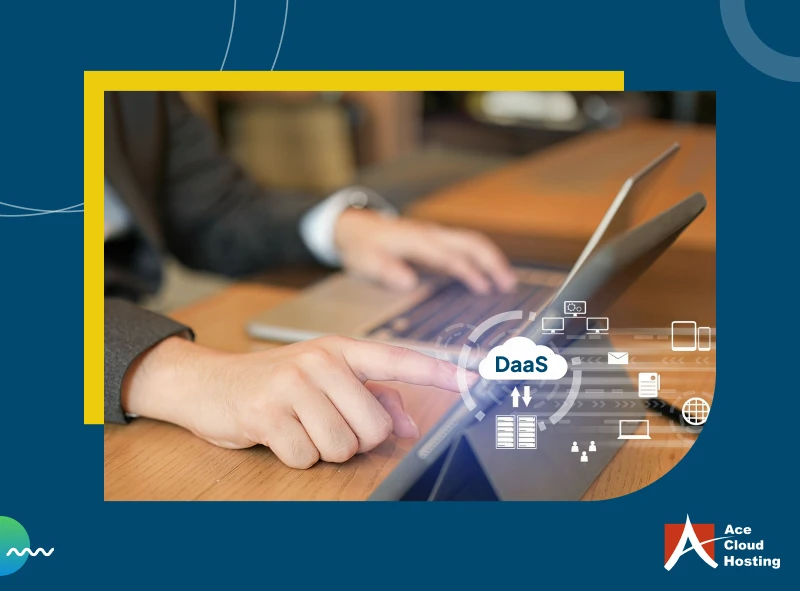
Desktop as a Service (DaaS) gives nonprofits a more flexible way to manage IT. Organizations can provide provide secure cloud hosted virtual desktops to employees, volunteers, and seasonal teams through a subscription-based model instead of investing heavily in physical infrastructure. This helps reduce upfront costs and simplify IT management, so you avoid paying for resources that are not always in use.
This guide explains how DaaS can help nonprofits lower technology costs, improve accessibility, and keep teams focused on serving communities and advancing their mission.
Where Nonprofits Actually Lose Money with Traditional IT Infrastructure
Hardware Refresh Cycles Increase Costs
Many nonprofits continue using laptops and desktops longer than intended because replacing systems across an organization requires significant spending. However, delaying upgrades eventually creates new costs. Older devices slow down employee productivity and require more maintenance. Also, it often struggle to support newer applications.
Technology refresh projects also involve more than simply purchasing devices. Hence, businesses may need to invest in servers, storage systems, software licenses, deployment, configuration, and ongoing maintenance. This turns a routine upgrade into a major expense every few years.
Limited IT Resources Reduce Productivity
Many nonprofits rely on small IT teams, outsourced providers, or staff who manage technology alongside their primary responsibilities. As a result, employees often spend time resolving login issues, fixing software problems, or addressing device-related concerns.
These disruptions reduce productivity and take time away from fundraising, volunteer coordination, grant applications, and program delivery.
Remote and Field Teams Create Extra IT Costs
Many nonprofits operate across fundraising events, community programs, home offices, and partner locations instead of a single workplace. Traditional IT setups often require additional tools for remote access and device setup.
IT teams spend extra time managing users across different locations. Hence, maintaining a consistent experience becomes difficult when employees and volunteers use different devices.
Nonprofits Struggle to Scale During Seasonal Demand
Nonprofits frequently experience periods where staffing needs to increase temporarily. Donation campaigns, grant deadlines, fundraising events, volunteer drives, and seasonal programs may require additional staff or volunteers for a limited period.
Traditional IT infrastructure makes this process expensive because organizations often need to purchase new devices to support short-term users. Those devices may sit unused once the campaign or program ends, creating unnecessary spending and wasted resources.
Thus, nonprofits can end up paying for technology that only serves a temporary need while reducing funds available for core initiatives and community programs.
With DaaS, add and remove users on demand — only pay for what your nonprofit actually needs.
Hidden Costs Nonprofits Often Miss in Traditional PC Environments
Downtime Reduces Productivity
Device crashes and slow systems can interrupt daily operations and delay fundraising, program delivery, and administrative tasks. Staff and volunteers often lose valuable time waiting for issues to be fixed instead of focusing on the communities they serve.
Lost/ Stolen Devices Create Security Risks
Many traditional setups store files directly on local devices, which increases the risk of exposing donor information, financial records, and program data if a device is lost or stolen. Replacing hardware and recovering data can create unexpected costs.
Software Licensing and Device Management Issues
Different devices across teams often lead to inconsistent software versions and scattered systems. IT teams spend additional time tracking licenses, managing updates, and resolving issues manually, which increases administrative work and complexity.
Reasons DaaS Is a Budget-Friendly Choice for Nonprofits
Reduce Hardware Purchase Costs: DaaS reduces spending on high-performance desktops, laptops, and on-premises servers because computing resources run in the cloud. Nonprofits can avoid costly device refresh cycles and reduce surprise expenses from aging hardware failures.
Extend the Life of Existing Devices: Staff and volunteers can access cloud-hosted desktops from older laptops, desktops, or thin clients, as long as the devices meet security requirements. This helps nonprofits delay hardware upgrades and maximize existing systems.
Support Remote Teams and Volunteers Easily: Employees and volunteers working from fundraising events, community centers, home offices, or partner locations can securely access the same desktop from Mac, Windows, Linux devices, tablets, or thin clients. Everyone gets a consistent experience regardless of where they work.
Scale Easily During Seasonal Demand: Nonprofits can quickly add users during fundraising campaigns, grant periods, or volunteer programs and remove access when the need ends. This flexibility prevents spending on systems that may only be needed temporarily.
Spend Less Time Managing Devices: DaaS centralizes desktop and application management, making it easier to handle updates and system administration from one place. IT teams spend less time troubleshooting individual systems and more time supporting daily operations.
Reduce Downtime and Productivity Loss: If a laptop fails or stops working, staff can log in from another device and continue working immediately. Many DaaS providers also offer automatic backups that help recover files during system failures or accidental deletions.
Strengthen Data Security: DaaS keeps donor records, financial information, grant data, and program files in a centralized environment instead of storing them on local devices. This reduces risks from lost or stolen laptops while helping nonprofits maintain stronger control over sensitive information.
Get a fully managed cloud desktop solution built for nonprofits, with no heavy upfront investment.
Cost Considerations Before Choosing a DaaS Provider for Your Nonprofit Organization?
- Flexible pricing: Choose a provider that allows you to increase or reduce users for fundraising campaigns, seasonal programs, volunteers, and grant-based projects without paying for unused resources.
- Predictable monthly costs: Look for transparent pricing models that help nonprofits avoid unexpected infrastructure and maintenance expenses.
- Hidden costs and additional fees: Review licensing charges, storage costs, setup fees, support plans, and upgrade expenses to avoid unexpected spending later.
- Existing device compatibility: Ensure the solution works with current laptops and desktops to reduce immediate hardware replacement expenses.
- Included security capabilities: Look for built-in features such as multi-factor authentication, encryption, and access controls to avoid investing in separate security tools.
- Backup and disaster recovery coverage: Verify whether backup, recovery, and business continuity services are included rather than requiring additional subscriptions.
- IT support and management services: Consider providers that reduce internal IT workload through centralized updates, monitoring, and ongoing support.
- Volunteer and remote workforce access: Ensure staff and volunteers can securely access desktops from personal devices without additional investments.
Why DaaS Makes Sense for Nonprofit Budgets
Nonprofits need technology that supports their mission without creating ongoing financial pressure. Traditional IT environments often bring costs beyond hardware purchases. This includes device maintenance, downtime, security risks, backup expenses, and support for remote teams. DaaS extends device life, simplifies management, and adapts easily to changing staffing needs to reduce costs.
Ace Cloud Hosting delivers fully managed DaaS powered by Citrix with enterprise-grade security, 99.99% uptime, centralized management, automatic backups, and 24/7 support. Our solution helps nonprofits provide a secure and reliable desktop experience while focusing more resources on their mission.