Table of contents Toc Icon
Table of contents Toc Icon
Blender is an open-source 3D modeling and animation tool used by professionals worldwide for modeling, sculpting, rigging, simulations, and VFX.
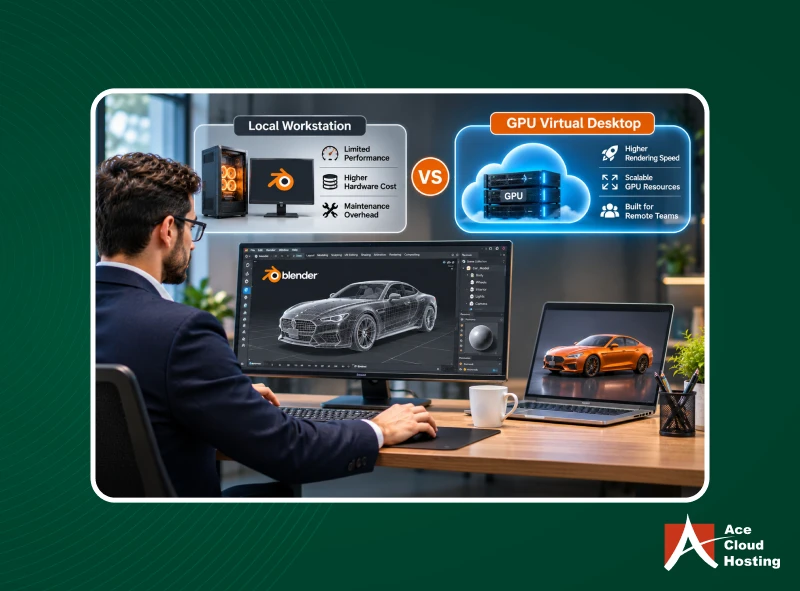
For years, designers and story artists have been using Blender on traditional physical workstations. However, as technology evolves, businesses now have multiple alternatives to local workstations, with GPU virtual desktops as the most preferred option.
GPU virtual desktops offer an alternative by providing access to powerful GPU-enabled computing resources through the cloud. They allow designers and artists to run Blender remotely without depending on expensive local hardware.
But how do GPU virtual desktops compare with traditional workstations in terms of performance, cost, scalability, and accessibility?
In this blog, we compare both options across key parameters to help you determine the right setup for your Blender workflows.
1. GPU Support
Blender recommends GPUs such as GeForce 900 (and newer), Quadro Tesla (and newer), and GCN 4th gen. for its rendering engines, EEVEE and CYCLES, to handle graphics-intensive workloads. On a local workstation (without GPU support), using Blender leads to lag and application crashes. On the other hand, procuring high-end GPU desktops and upgrading them regularly requires significant capital investment.
GPU virtual desktops enable real-time graphics processing without having to procure physical graphics cards. You can choose vGPU-enabled virtual desktops and upgrade them as needed. Hosted desktops also let you choose the GPU you want, from NVIDIA to AMD. You can also switch GPUs based on project needs and preferences.
2. Add-on Integration
As an open-source tool, Blender integrates with various add-ons for different functions, such as the user interface, asset management, animation, development, game engines, and data import/export. However, a physical workstation has finite resources. As you add more add-ons, the workstation slows down and can eventually crash or lag.
On a virtual desktop, you can integrate as many applications as required without worrying about Blender’s performance. You can upgrade virtual desktops instantly as you add more applications.
3. Performance
In a local desktop, various factors can affect Blender’s performance. Because these share defined resources, one process can hamper another’s performance. For instance, during rendering, most resources are occupied, which can cause lag during viewport operations. Adding more plugins can also easily exhaust system resources.
Virtual desktops offer consistent performance, irrespective of the workload. All graphics-intensive tasks are offloaded to the GPU, freeing the CPU to handle other tasks. Moreover, you can create dedicated virtual desktops for projects to ensure consistent performance.
Run Blender on GPU-powered cloud desktops built for complex 3D scenes, simulations, and rendering.
4. IT Management
In a local workstation setup, the office team handles IT management. Organizations must deploy an expert team that is available 24/7 for monitoring and troubleshooting. They must also handle tasks like hardware replacement, upgrades, and maintenance. However, due to the skills gap and operating costs, hiring skilled IT experts can be unfeasible.
Hosted GPU desktop providers offer fully managed IT services. They handle all backend IT tasks without disrupting Blender operations. Moreover, the cloud infrastructure is regularly updated to meet changing application requirements.
5. Multi-Device Support
Blender is a versatile tool that runs on Windows, Linux, and macOS. It also offers portable installation, so you can use Blender from external drives as long as the configuration files are on the same drive. But what if a professional has to work remotely without a workstation, or forgets the drive in the office?
A GPU virtual desktop removes hardware dependencies and gives professionals real-time visibility into the project. They can access Blender from remote locations through their smartphones. They can open the web browser on their phone and log in to the cloud portal to access Blender, even on vacation.
6. Customization
Local workstations offer minimal customization for Blender users. They share the same IT resources and operating system. Moreover, you can install tools only for the operating system.
Virtual desktops, in contrast, are highly customizable. You can provision different desktops with their dedicated operating systems, settings, and resources. You can also create virtual desktops with different numbers of vGPUs, based on project demands.
You can also choose between persistent and non-persistent desktops, and create desktop pools for similar configurations. If some projects require freelancer onboarding, you can provision virtual desktops instantly for a limited period without investing in physical desktops.
7. Data Security
Blender project files are confidential intellectual property and must be protected from falling into competitors’ hands. Moreover, malicious hackers are always looking for ways to compromise .blend files and asset libraries for ransom.
On a local workstation, Blender is vulnerable to several risks. First, because the design and configuration files reside on the same workstation, hardware damage can cause data loss. The workstation can also be stolen or compromised. Second, hackers can exploit vulnerabilities in your local network to access files. Third, a malicious employee can copy and transfer confidential files to external drives.
Virtual desktop providers ensure data protection on all fronts. First, the data does not reside on the local workstation (but on cloud servers). Hence, theft or damage of the workstation cannot cause data loss. Second, virtual desktop providers deploy a multi-level security infrastructure that most organizations can’t afford.
They deploy features such as SSO, 256-bit data encryption, Intrusion Detection & Prevention (IDPS), DDoS protection, distributed firewall, and patch management. Moreover, admins can set role-based access and permissions to control who accesses project files. They also ensure endpoint security with anti-keylogging and anti-screen capture features.
8. Resource Utilization
When businesses purchase an office workstation (with a graphics card) for Blender, they do not expect to run it 24/7. However, you still pay full price even when its resources sit idle most of the time.
VDI-based virtual desktops, on the other hand, optimize resource utilization. When you opt for a virtual desktop (with a customized configuration), providers charge you based on sessions and resource utilization during the billing period. As a result, you get the best ROI and desktop performance.
9. Capital and Operational Costs
Procuring a GPU-powered physical workstation is expensive. Add to it the costs of hardware refresh cycles and maintenance. You also need to deploy an in-house team to monitor and maintain it.
With GPU virtual desktops, the provider owns the virtual desktop infrastructure, and you rent a part of it to host Blender and data. So, you don’t need an expensive GPU workstation in the office. As a result, you can reduce other complementary IT management expenses.
10. Collaboration Across Distributed Teams
Designers, artists, managers, and freelancers work on one project at the same time, but .blend files with packed textures and simulation caches can be quite large. On a traditional workstation, collaboration requires transferring these files, which creates multiple versions and reduces productivity.
GPU virtual desktops offer a cloud-based platform where multiple users can work on Blender simultaneously, even from remote locations. Moreover, file version control ensures that changes are updated and visible to all users in real time. It also improves the client experience by letting you share designs and simulations through the cloud portal.
11. Scalability
As you take on multiple projects, Blender’s resource requirements also increase accordingly. Moreover, you might require more desktops or computing power for a specific project. For local workstations, this means buying more desktops or upgrading existing ones for each additional requirement.
On the other hand, GPU virtual desktops enable businesses to provision virtual desktops instantly. When the project ends, you can deprovision the desktops. You can also add more vGPUs to virtual desktops to meet specific project or workflow demands.
12. Availability
Businesses must ensure Blender is always accessible so that professionals can deliver projects on time. However, IT-based disruptions cause significant downtime, hampering your reputation.
Virtual desktops run on cloud infrastructure with hardware redundancy, ensuring 24/7 application and data availability. With a robust BCDR plan and fault-tolerant systems, providers also ensure Blender access during major natural disasters, such as earthquakes.
Scale GPU resources as projects grow and work remotely with fully managed cloud desktops.
Choose Wisely to Get the Best Out of Blender
Deciding between local workstations and GPU virtual desktops should be backed by an in-depth analysis of business requirements and your current IT infrastructure. For instance, if you recently invested in advanced in-house workstations for Blender, you might delay transitioning to virtual desktops. On the other hand, if you are facing issues with viewport feedback or simulations, you could try GPU-powered virtual desktops.
Having trouble deciding? Connect with our Cloud Experts now or book a 7-day free trial. Ace Cloud Hosting offers GPU virtual desktops customized for Blender, plus 99.99% uptime, 30-day backups, and 24/7/365 customer support.