Blender Cloud Hosting

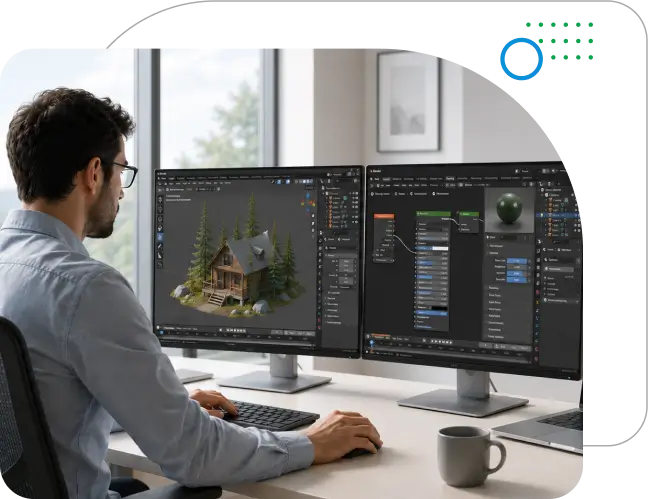
Run Blender on a secure, high-performance virtual desktop built to keep your projects, add-ons, and supporting tools in one managed environment.

  • Full Blender desktop, not a browser-based version
  • Dedicated NVIDIA vGPU Instances
  • 99.99% uptime and 30-day rolling backups
  • Free data migration and 24x7 human support
Questions? Talk to an expert
star

750+ Ratings

Book Your 7 Day Free Trial
Try Before You Buy: Take Our Services for a Test Drive

    We respect your privacy. Your information will only be used to share updates and offers. View Privacy Policy.

    Official Partner

    30-day

    Rolling Data
    Backup

    100%

    Fully Managed Solution

    10+

    USA-based Data Center Partners

    15+

    Years of Industry Experience

    8000+

    Customers Served

    Blender on a Managed Cloud Desktop, Built for Creative Teams

    Blender projects can place very different demands on local hardware. High-poly scenes, large textures, simulations, rendered viewports, and Cycles rendering can quickly increase CPU, RAM, GPU, and storage requirements.

    Ace Cloud Hosting provides a managed cloud desktop where Blender and its project workloads run on cloud infrastructure. Teams can keep .blend files, textures, assets, caches, and render outputs in one environment while maintaining a consistent workspace across locations.

    • Scalable resources: Increase CPU, RAM, storage, or graphics resources as scenes, simulations, and rendering workloads become more demanding.
    • Reduced hardware dependency: Run demanding projects without repeatedly upgrading or replacing high-end local workstations.
    • Managed infrastructure: Offload desktop provisioning, maintenance, backups, and infrastructure management to the hosting provider.
    Blender on a managed cloud desktop for creative teams

    Cloud Hosting Features Built for Blender Workflows

    What your team gets when Blender runs on a managed, on-demand GPU-accelerated cloud desktop.

    Multi-session Access

    Multi-device access

    Access your hosted desktop remotely from supported Windows, Mac, and other compatible endpoints without relying on a high-end local workstation.

    Centralized Project Storage

    Centralized Project Storage

    Keep .blend files, textures, HDRIs, asset libraries, simulation caches, and render outputs together in one managed cloud environment.

    NVIDIA vGPU Resources

    NVIDIA vGPU Resources

    Use configurable NVIDIA vGPU resources for graphics-intensive workflows such as rendered viewports, EEVEE, and compatible Cycles GPU rendering.

    Custom Cloud Workspace

    Custom Resource Configuration

    Configure CPU, RAM, vGPU, VRAM, and storage according to scene complexity, rendering requirements, and supporting applications.

    Blender Versions and Add-ons

    Blender Versions and Add-ons

    Run required Blender versions, compatible add-ons, scripts, and supporting tools inside the same hosted workspace.

    Multi-Cloud & Hybrid Cloud Deployment

    Multi-Cloud & Hybrid Cloud Deployment

    Deploy Blender virtual desktops across cloud, on-premises, or hybrid environments for greater flexibility, compliance, and redundancy.

    Enterprise-Grade Security

    Enterprise-Grade Security

    Protect project files with security controls including MFA, encryption, firewalls, access controls, and continuous monitoring.

    Custom Cloud Workspace

    Anti-Keylogging and Anti-Screen Capture

    Use endpoint security controls that help restrict unauthorized keystroke recording and screen capture of sensitive creative assets.

    High-Performance Cloud Computing

    High-Performance Cloud Computing

    Run compute-intensive modeling, animation, simulation, and rendering workflows on cloud desktops configured with the resources your projects require.

    Run High-Performance Blender Workloads in the Cloud

    Use configurable cloud resources for complex scenes, simulations, rendering, and other intensive workloads.

    Locally Installed Blender Workstation vs Cloud-Hosted Blender vs Render Farm

    See how local workstations, cloud desktops, and render farms compare across everyday Blender production needs.

    Factor Local Blender Workstation Cloud-Hosted Blender Render Farm
    Access Tied mainly to one machine Remote access from any device (PC, Mac, thin client, and more) Submit and retrieve render jobs
    Collaboration Files may be spread across systems Centralized workspace for distributed teams Limited to rendering workflows
    Large Projects Limited by local hardware Resources sized for complex scenes and textures Best for heavy final renders
    Performance Scaling Requires hardware upgrades CPU, RAM, GPU, and storage can scale Rendering capacity can scale
    Project Storage Local or shared storage Files and assets stay centralized Assets must be uploaded or synced
    Security Depends on local IT setup MFA, encryption, firewalls, and monitoring Varies by provider
    Hardware Refresh Requires periodic upgrades Reduces dependence on physical refresh cycles No render hardware purchase
    Scalability Add or upgrade machines Add/remove users or resources as needed Scales mainly for rendering
    Cost Higher upfront hardware cost Recurring cloud cost with lower CapEx dependency Usage-based rendering cost

    Blender Hosting for Different Production Needs

    From 3D production and VFX to architectural visualization, game development, and training, managed cloud desktops support different Blender workflows with consistent access and configurable resources.

    3D, Animation and VFX Studios

    3D, Animation and VFX Studios

    Creative teams can run modeling, animation, simulation, and compositing from a consistent cloud environment while supporting artists working across different locations.

    Architecture and Product Visualization Teams

    Architecture and Product Visualization Teams

    Detailed models, large textures, and complex lighting can strain standard systems. Cloud workstations provide the resources needed for demanding visualization workflows.

    Game Development Teams

    Game Development Teams

    Game artists depend on specific Blender versions, add-ons, scripts, and shared assets. A managed cloud environment helps keep workspaces consistent across the team.

    Education and Training Teams

    Education and Training Teams

    Institutions can deliver standardized Blender environments for classes and labs without requiring every student device to meet the same high-end hardware requirements.

    Why Ace Cloud Hosting

    A managed cloud team experienced in supporting Blender and other graphics-intensive applications in virtual desktop environments.

    Free migration and onboarding

    Seamless migration of your Blender environment, data, settings, and integrations to a secure Cloud VDI with minimal disruption.

    End-to-end onboarding and management support from a dedicated cloud team

    Lower IT Overhead

    Reduce the effort spent managing workstation upgrades, maintenance, and troubleshooting with a fully managed cloud desktop environment.

    increased-savings

    Resilient data centers

    Located across multiple regions, our SOC 2, HIPAA, and SSAE-16 certified data center partners offer peak performance with 99.99% uptime.

    highly-secure-data-center

    24x7 Human Support

    Our team is available 24x7 by phone, chat, and email, including weekends and holidays, to assist you with your inquiries.

    24-7-expert-support

    GPU-Optimized Cloud Desktops

    Use NVIDIA vGPU-enabled desktops for graphics-intensive modeling, visualization, EEVEE, and compatible Cycles rendering without relying on high-end local hardware.

    Optimized Autodesk Inventor workflows

    Frequently Asked Questions

    How secure is my Blender data in the cloud?

    Your hosted environment uses security controls such as encryption, MFA, firewalls, access controls, and continuous monitoring to help protect project files and restrict unauthorized access.

    No. A cloud workstation provides the full interactive Blender desktop for modeling, sculpting, animation, simulation, and rendering. A render farm is primarily designed to process submitted rendering jobs.

    Yes. Multiple Blender versions can be maintained for different projects, helping teams continue existing productions on tested releases while using newer versions where required.

    Yes. Compatible add-ons, scripts, and supporting applications can be installed in the hosted environment, subject to their licensing, system requirements, and version compatibility.

    Yes. The hosted environment can be configured with NVIDIA GPU resources for graphics-intensive workloads, including rendered viewports, EEVEE workflows, and compatible Cycles GPU rendering using CUDA or OptiX.

    Ace Cloud Hosting provides 30-day rolling backups for the hosted environment, helping recover project files and data after accidental deletion, corruption, or other data-loss events.

    Yes. Our VDI team can assist with migrating project files, supported applications, configurations, and compatible add-ons to the managed cloud environment with minimal disruption.

    Pricing depends on the number of users and the CPU, RAM, GPU, storage, and other resources required for your workload. Our team can recommend a configuration based on your projects and usage needs.

    Yes. Ace Cloud Hosting offers a 7-day free trial with no credit card required, allowing you to test your projects and hosted workstation before choosing a paid plan.