Table of contents Toc Icon
Table of contents Toc Icon
SOLIDWORKS is a 3D CAD application preferred by designers worldwide for its advanced features, AI-based designing, and interactive user interface. As workload demands and employee expectations evolved over the years, businesses started migrating their SOLIDWORKS from legacy IT infrastructure to CPU-based VDI solutions to overcome access, scalability, and collaboration issues.
However, the problem with CPU-based virtual desktops was the lack of parallel processing capabilities required for running SOLIDWORKS optimally. Consequently, designers started experiencing frequent lags, application crashes, and low-resolution displays.
A better alternative to run SOLIDWORKS that offers both flexibility and superior performance is VDI GPU. A VDI solution built on GPU architecture easily fulfills the resource requirements of SOLIDWORKS, while enabling designers and engineers to work from remote locations.
Let’s look at why you should consider a GPU-powered virtual desktop for SOLIDWORKS.
1. Consistent Remote Performance
VDI enables designers and engineers to work on SOLIDWORKS from remote locations on their personal devices. However, when virtual desktops are CPU-bound, they often result in unresponsive screens and lag. Moreover, when multiple users collaborate on the same application, it leads to inconsistent performance.
A VDI GPU, on the other hand, offers remote users a real-time experience, like they were working on a local GPU-powered system.
There is no lag in cursor movements, panning, zooming, or rotating. Moreover, any number of users can work on different phases of product development simultaneously without performance issues.
Run SOLIDWORKS on a high-performance GPU-powered VDI built to handle complex assemblies, RealView graphics, simulations, and high-resolution rendering, without crashes or redraw delays.
2. Complex Assemblies Management
Designers sometimes need to create products with assemblies that have hundreds or even thousands of parts. As these parts are added, SOLIDWORKS must constantly redraw geometry, edges, mates, and constraints in real time. A CPU-based VDI lacks the processing power to handle such a heavy workload, leading to significant redraw delays.
In VDI GPU, the CPU offloads graphical processing to the GPU, ensuring smooth component addition and lag-free redraws. VDI GPU ensures stable frame rates and smooth cursor movement.
3. Real-time High Resolution Rendering
SOLIDWORKS enables rendering of 3D models into high-resolution images (4K and higher) with tools such as SOLIDWORKS Visualize. However, these tasks are graphics-intensive and cannot be handled by a CPU. It requires GPU capabilities for real-time rendering of realistic images. Moreover, VDI GPU enables faster preview times, streamlining iterations.
4. Future Proofing For Advanced Features
As applications evolve, they are introducing AI-based features to automate tasks and offer deep data insights. SOLIDWORKS is also an AI-powered tool with features, such as Selection Helper and AI Drawings, to streamline product development. However, the AI-based features are resource-intensive and require real-time data processing.
A VDI GPU fulfils all the resource requirements for current features and future upgrades, making you future-ready for new technologies.
5. Improved Stability
Whether modeling or simulating in SOLIDWORKS, application stability is imperative for an efficient project lifecycle. A CPU-based VDI, not being able to handle the workload of complex assemblies, can result in application crashes, frozen screens, and display errors. A GPU-powered VDI offers a more stable application environment. It is optimized for handling complex assemblies and CAD workflows.
VDI GPU enables designers to work uninterrupted during long design sessions and complex rebuilds. As a result, you can fast-track product development and reduce operational overheads.
6. Faster Simulation
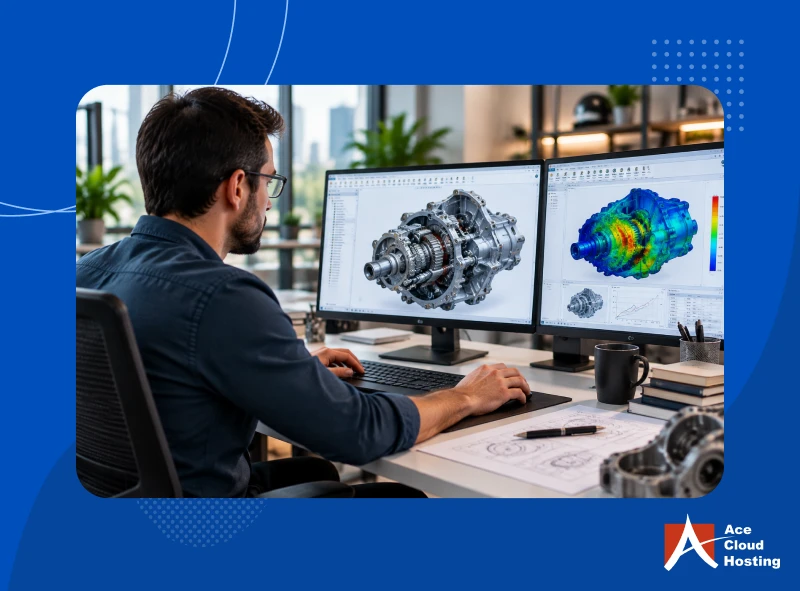
Simulation is imperative to ensure that a product works in real-world environments. However, recreating that environment is a graphics-intensive task. SOLIDWORKS requires a VDI GPU for rendering simulation results in real time. Moreover, GPU also allows real-time interactions between contour plots. Especially when simulating complex assemblies, a GPU-powered virtual desktop improves responsiveness, helping designers identify flaws.
7. Enhanced Scalability
Businesses often need to work on different workloads simultaneously. The major GPU providers, such as NVIDIA and AMD, offer multi-instance capabilities, which enable you to create multiple GPU instances. These instances can be considered as dedicated machines with memory, core, and bandwidth. GPU instances help in improving resource utilization and scaling.
8. RealView Support
RealView is a feature of SOLIDWORKS that offers a real-world representation of 3D models, saving rendering time. It offers advanced shading, multi-color effects, and self-shadowing for realistic effects. However, RealView requires GPU support to function optimally. If you have a VDI GPU, RealView is enabled by default.
GPU or CPU for SOLIDWORKS: A Comparison
| Parameters | CPU | GPU |
| Performance | Laggy navigation and cursor movements | High-performance with real-time draw, rotate, and zoom |
| Handling complex assemblies | Slow load times, stuttering, frequent rebuild delays | Facilitates the addition of multiple parts in real time |
| Responsiveness | Delays during redraws and modeling | Responsive sketching, feature editing, and instant updates |
| Simulation | Slower interactions | Low rendering time and higher resolution |
| Stability | Frequent crashes and frozen screens | Highly stable, even for complex assemblies |
| RealView | Not supported | Supported |
Elevate the Potential of SOLIDWORKS with Hosted VDI GPU
VDI GPU offers a high-performance platform for SOLIDWORKS. However, deploying a VDI GPU on-premise requires skilled IT professionals, 24/7 monitoring, and significant investments, which is not feasible for small and medium businesses. A better solution is outsourcing IT management to a hosted VDI provider.
Hosted VDI GPU services allow you to leverage the benefits of VDI GPU without the constraints of in-house deployments. Let’s check out some significant perks of hosted VDI.
1. Choice of GPUs
Hosted VDI GPU providers offer a wide range of GPU options for SOLIDWORKS. As GPUs are virtual, you can change the GPU or upgrade it anytime, according to the application requirements.
2. Multi-level Security
Hosted VDI providers offer a multi-layer security environment with features, such as OS patching, antivirus, antimalware, multi-factor authentication, 256-bit data encryption, Intrusion Detection and Prevention (IDPS), and distributed firewalls. Moreover, they deploy a skilled team of experts for 24/7 minority, risk management, and responses.
3. Guaranteed Uptime
Hosted GPU VDI providers guarantee an uptime of 99.99% in their SLA. They deploy disaster recovery solutions, redundant hardware, and fault-tolerant systems to ensure 24/7 availability of SOLIDWORKS.
4. Round-the-clock Support
Managed virtual desktop providers provide 24/7/365 customer support for all customers. The expert team is available via call, chat, and email for quick responses and effective resolution.
5. Unlimited Storage and Backup
With virtual desktop hosting, you get unlimited storage for all project files. Moreover, providers offer automated backup solutions to enable easy data retrieval in the event of data breaches or accidental deletion.
6. On-demand Scalability
GPU VDI hosting enables you to scale IT resources according to the growing project demands and SOLIDWORKS upgrade requirements. You need to pay as per usage in the next billing cycle.
7. Expense Optimization
With hosted VDI services, you do not need to invest in on-premise GPU-supported systems. Consequently, it also saves the cost of IT management, deployment, and maintenance.
VDI GPU is the Future of Designing
A VDI GPU offers advanced modeling, compilation, and rendering capabilities for SOLIDWORKS. Moreover, it provides additional benefits of remote access, IT flexibility, and collaboration. If you want to experience how SOLIDWORKS runs on VDI GPU, you can opt for a free trial of Ace Cloud Hosting’s hosted virtual desktop services.
Ace Cloud Hosting offers GPU-powered virtual desktops with a wide range of GPU options for SOLIDWORKS. Opt for Ace Cloud Hosting and get 99.99% uptime, on-demand scalability, enterprise-grade security, and 24/7/365 support.
Upgrade to a GPU-powered VDI built for SOLIDWORKS, delivering real-time modeling, stable simulations, and seamless remote collaboration in the cloud.