Table of contents Toc Icon
Table of contents Toc Icon
Adobe offers a wide range of applications that accomplish diverse tasks, including image editing, design, video editing, and motion graphics. However, one common feature of all these applications is that they are graphics-intensive and require advanced processing capabilities.
With the widespread adoption of remote work, businesses are transitioning to VDI (Virtual Desktop Infrastructure), enabling their teams to access a centralized IT platform for seamless collaboration. However, one common mistake they often make is opting for a legacy CPU-based VDI solution.
These VDI environments are sufficient to host most business applications. However, in the case of resource-intensive Adobe applications, they fail to provide the required processing power. It results in slow rendering, lag, and degraded visuals.
The solution is a VDI GPU. VDI GPUs offer you every benefit of VDI backed by the high-performance capabilities of a GPU. If you use Adobe apps, here are some reasons why GPU-based VDI is imperative for optimal performance.
1. Hardware Acceleration
GPUs work in tandem with the CPU to give your Adobe apps additional processing capabilities. The resource-intensive tasks are delegated to the GPU with multiple cores to facilitate real-time rendering, heavy effects, and color grading. For instance, Premiere Pro is a video editing tool that requires GPU acceleration for real-time playback and hardware encoding. It supports NVIDIA GPU acceleration for 4:2:2 video color editing, ensuring optimal color grading.
2. Seamless User Experience
Multiple users work on Adobe apps from remote locations. However, without a GPU-optimized VDI, these users experience lag or delay that disrupts the entire collaborative workflow. Be it choppy mouse movements or frozen previews, traditional VDI desktops can hamper creative productivity. VDI GPUs ensure real-time working experience even from remote locations, as if working on a local workstation.
3. Smooth Rendering
Video and motion graphics software like Adobe After Effects require extensive processing power for animations and illustrations. Moreover, the export time is also significantly higher when these applications are hosted in a traditional VDI environment.
A GPU-powered virtual desktop ensures faster video rendering and hardware encoding. Moreover, it facilitates faster preview renders for files created by Adobe After Effects for footage, layers, and compositions. It leads to shorter turnaround times and boosts overall project efficiency.
Upgrade to GPU-powered Cloud VDI to unlock hardware acceleration, smoother playback, and real-time creative workflows from anywhere.
4. Enhanced Visuals
Most Adobe apps, including Premiere Pro, After Effects, and Illustrator, need high-resolution displays and a multi-monitor setup. For example, you want a high-resolution display for working with 4K/6K/8K footage in After Effects.
In a CPU-based VDI, users often experience lag or distorted picture quality when working on these applications due to limited CPU processing power. A GPU-enabled VDI offers high resolution and multi-monitor support. As a result, you get a real-time experience with clear visuals and no lag.
5. High Stability
Stability is paramount when working on video and designing tasks. However, in traditional CPU-based VDI, Adobe apps can consume all available processing power, leading to application crashes. A GPU environment optimizes memory management and core usage to offer superior performance.
6. Multi-instance Capabilities
VDI GPUs offer multi-instance features for optimum resource utilization. You can create multiple GPU instances to support different workloads based on project requirements.
For example, in NVIDIA GPUs, you can create multiple instances, each with dedicated memory, bandwidth, and cores.
7. Additional Processing for AI-based Modules
As Adobe apps are evolving, new AI-powered features are being regularly introduced. For example, After Effects’ Content-Aware Fill feature can automatically remove objects from a video. These AI-powered features require extensive data processing capabilities that only a GPU-based virtual machine can deliver.
Unlock the Potential of Adobe Apps with GPU on Cloud
A GPU-powered virtual desktop provides a high-performance environment for your Adobe apps, ensuring real-time outputs and hassle-free collaboration. However, deploying it on-premises demands significant expenses and skilled IT professionals. A more cost-efficient alternative is opting for VDI GPU hosting services. With VDI GPU hosting, you get –
1. Choice of GPUs
With hosted VDI, you can select the GPU as per your business requirements. Providers offer a wide range of GPU options, such as NVIDIA L4, NVIDIA H100, and AMD Radeon. You can also change your GPU if the requirement changes.
2. Flexible Pricing Plans
VDI GPU hosting providers offer flexible pricing plans on a pay-as-you-go basis. It means you pay only for the resources you use. Moreover, some providers can customize the plan according to your resource requirements.
3. All-time Availability
Most Adobe hosting providers guarantee a minimum uptime of 99.9% across all Adobe applications and data. Leading providers such as Ace Cloud Hosting extend this commitment to 99.99% uptime, ensuring near-continuous, 24/7 availability.
To support this level of reliability, providers implement robust business continuity and disaster recovery (BCDR) strategies, backed by fully redundant infrastructure, so operations remain uninterrupted even during unexpected disruptions.
4. Unparalleled Data Security
Data security is a critical consideration for any business. Hosting providers deploy security safeguards, such as multi-factor authentication, 256-bit data encryption, antivirus, antimalware, firewalls, and access controls at multiple levels to ensure complete data protection.
5. Cost Minimization
Hosting Adobe apps on cloud VDI saves you the initial investment of procuring high-end GPUs. Consequently, you do not need to spend on hardware refreshes, replacements, and upgrades. Moreover, you don’t need to deploy a large in-house IT team, as the provider handles all IT tasks.
6. 24/7 Support
VDI hosting providers offer 24/7/265 customer support. Their expert team is available on phone, chat, and email to resolve any issue swiftly. Some providers also provide a dedicated account manager for personalized support.
7. State-of-the-art Infrastructure
VDI service providers host the GPU-powered IT setup in Tier-5 data centers. These data centers deploy infrastructural redundancy and advanced failover mechanisms to ensure 24/7 availability.
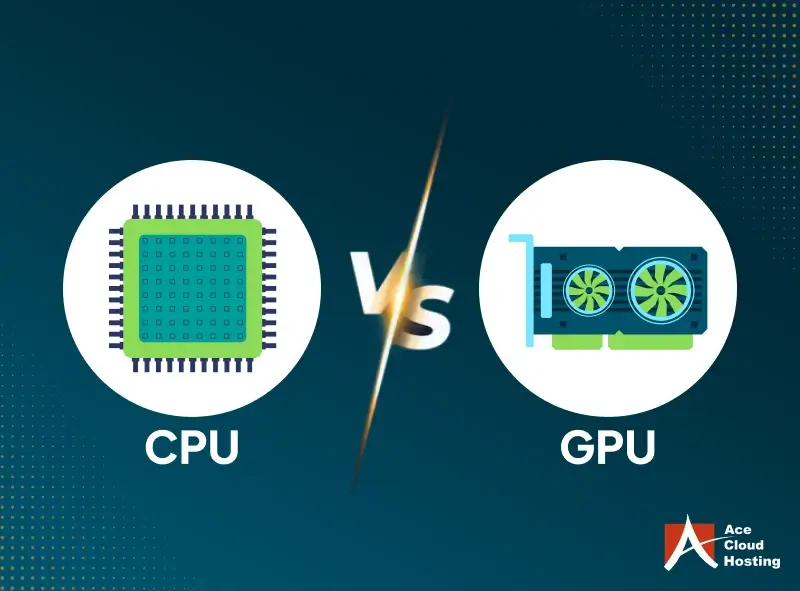
GPU-Powered VDI vs. CPU VDI: A Comparison
| Parameters | GPU VDI | CPU VDI |
| Performance | Offers a responsive performance with no lag | Inconsistent performance with slow responses |
| Video Rendering | Significantly faster video and preview rendering due to GPU acceleration | Slower rendering times leading to frozen frames |
| Playback | Supports Mercury Playback Engine for smooth scrubbing and optimized timeline playback | Does not support Mercury Playback Engine |
| Multi-monitor Support | Supported | Not Supported |
| Remote User Experience | Real-time working experience for pan/zoom/orbit, scrubbing, and model navigation | Susceptible to crashes and lag |
| Workload Management | Excellent: Because the GPU manages resource-intensive tasks | Poor: Because the CPU needs to handle the complete workload |
| Stability | Minimum to no crashes | Frequent crashes due to extensive resource utilization |
Future-Proof Your Adobe Apps with VDI GPU
VDI GPU brings consistent performance to Adobe applications, even under heavy creative workloads. As Adobe tools continue to evolve, GPU acceleration is no longer optional; it is foundational.
With Ace Cloud Hosting, teams gain stability, speed, and remote-ready performance without the complexity of infrastructure.
Deploy GPU-powered Cloud VDI designed for graphics-intensive applications like Premiere Pro, After Effects, and Illustrator.