Table of contents Toc Icon
Table of contents Toc Icon
Intuit’s QuickBooks is the one-stop accounting solution to all small to large businesses because of the vast variety of features it offers for all devices. If you are a business owner, still exploring the features of QuickBooks on Mac System, you are at the right place.
Follow the steps below to experience the live demo of using QuickBooks on the Mac System.
1. Download and Install ‘Microsoft Remote desktop’ application from the Apple store.

2. Open the application; Click New.
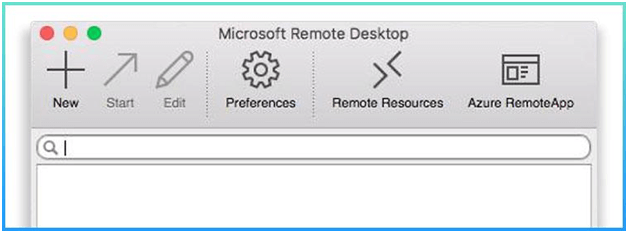
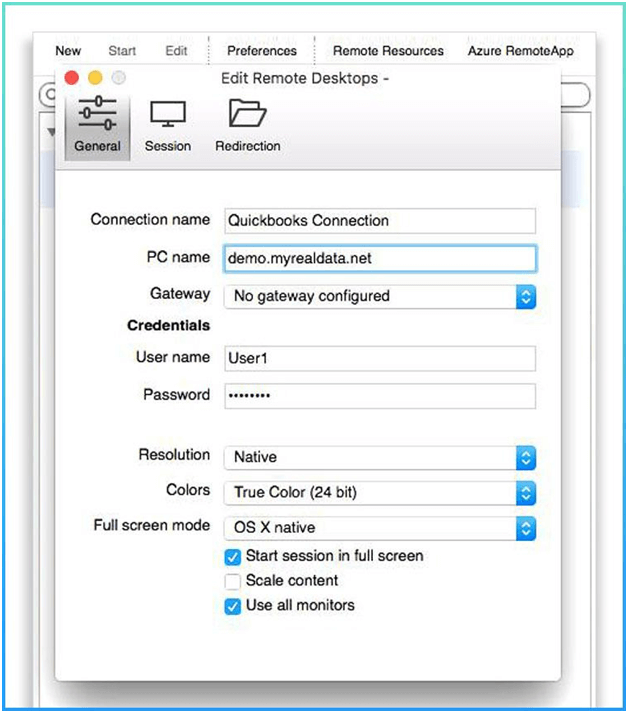
3. Under General Tab, please enter your connection name (Any alias name)
4. Enter your PC name as demo.myrealdata.net
5. Enter the username as User1 and password as Ent$56gh under Credentials as shown in the image below and close this window.
6. Move to the Session tab and select Forward printing devices checkbox.
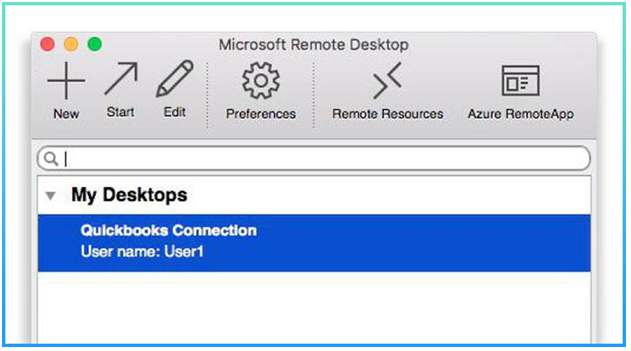
7. Click on the red X button to exit it. Now you will see the connection under my desktop as is shown in the below image. Either double click on the connection or highlight the connection and click on Start. It will take you to the demo server.
Now, you’ll be connected to the demo server which will appear as shown below:
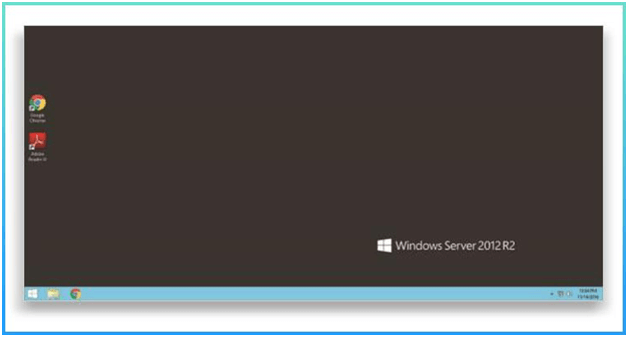
There you have it! You’re now directly connected to the demo server from your Mac!
Our experts are ready to assist with setup, troubleshooting, or any product issue. Get in touch now!