How to Send E-mail From QuickBooks

  • 520 Viewed
  • Updated on October 10, 2014
  • 1 Min Read
     
    Toc Icon

    Table of contents Toc Icon

      Are you one of the million QuickBooks users breathing in the world? Do you sometimes feel that you want to get more out of QuickBooks? Do you know that you can send E-mails via QuickBooks directly? Here’s how:

      Step 1: Open the concerned company file on the server.

      Step 2: Click on ‘Create Invoices’.
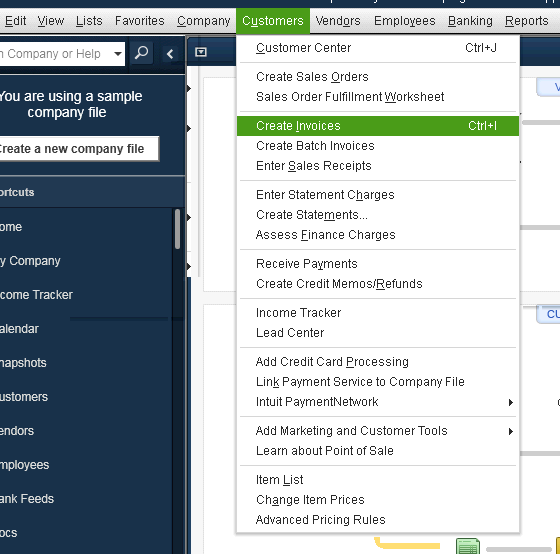
      Send E-mail From QuickBooks


      Step 3: Click on the option ‘Send’.

      Step 4: Enter the email address for the ‘To’ and ‘From’ column and click on ‘Send Now’.

      Note: Your E-mail has been sent.

      Ergo, there is much more to QuickBooks than what meets the eye.

      Still Need Help? We’re Here For You!

      Our experts are ready to assist with setup, troubleshooting, or any product issue. Get in touch now!

      SHARE:

      About Ace Cloud Hosting

      Ace Cloud Hosting's profile picture

      Ace Cloud Hosting is a trusted cloud solutions provider with 15+ years of experience serving accountants, CPAs, SMBs, and enterprise businesses. We specialize in delivering application hosting, virtual desktops, managed IT, and cybersecurity solutions. With US-based data centers, 99.99% uptime, and 24×7 expert support, Ace Cloud Hosting helps businesses access the high-performance and secure solutions they need.

      Find Ace Cloud Hosting on:

      Leave a Reply

      Your email address will not be published. Required fields are marked *

      Copy link