Table of contents Toc Icon
Table of contents Toc Icon
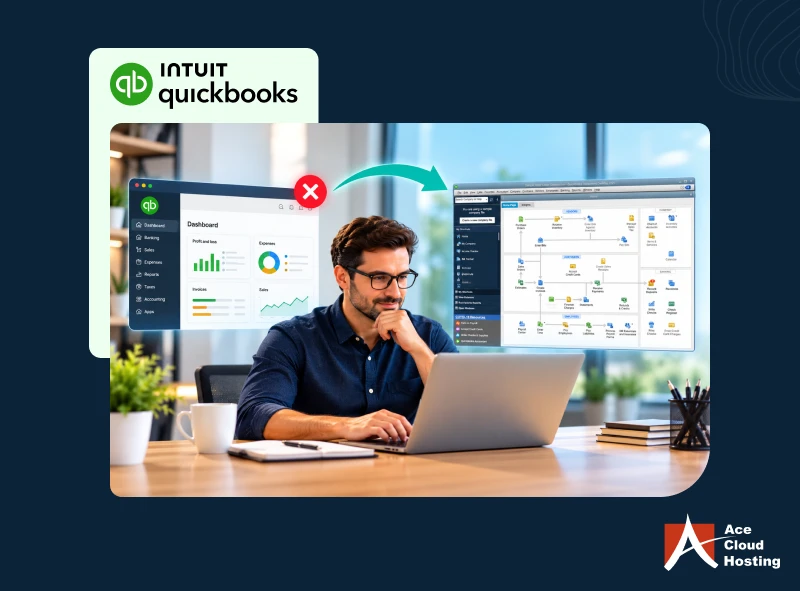
QuickBooks Online (QBO) is a widely used cloud accounting solution for small and medium businesses, enabling accounting professionals to work remotely and collaborate with their team.
However, many businesses still rely on desktop applications and supporting tools that may require access to office workstations or local infrastructure. Moreover, on-premises IT setups raise major security concerns because they require expertise, investment, and ongoing management.
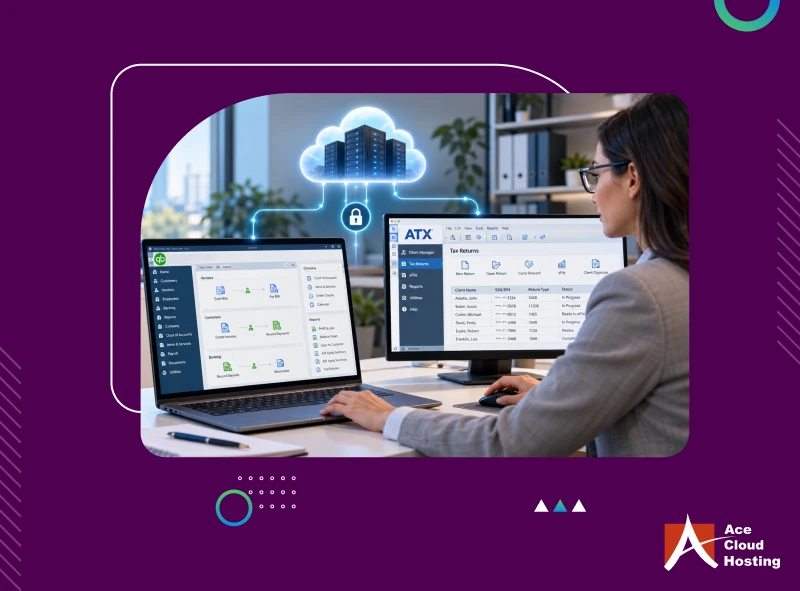
One effective solution that can provide businesses with a secure and flexible workspace is cloud hosting. The idea is to host supported desktop-based business applications in a service provider’s cloud while accessing QuickBooks Online alongside them from the same cloud workspace.
Let’s see how you can build a secure workspace around QuickBooks Online with cloud hosting.
1. One Place for All Apps
QuickBooks integrates with more than 800 business applications across categories such as payments, payroll, inventory, ecommerce, and reporting. So, even with a cloud-based accounting platform, businesses still need to manage, upgrade, and invest in local IT infrastructure for desktop applications. This can limit the broader flexibility businesses expect from a cloud-first accounting environment.
By opting for cloud hosting, you get a complete cloud solution for your business. With supported desktop applications in the cloud, businesses don’t need to invest in local IT infrastructure. You also get a shared workspace to access your applications and QuickBooks Online directly from this unified cloud workspace.
Access QBO and supported desktop apps from one secure cloud workspace.
2. Business Data Management
Beyond accounting data, an organization must manage diverse data points about internal processes, such as employee information, payroll, inventory, sales, and bills. QuickBooks Online stores data on cloud servers, which you can access after logging in to the Intuit portal. In contrast, internal business data is stored on local servers or systems.
The different data storage platforms make it challenging for businesses to manage, secure, and organize data.
Cloud hosting offers a centralized cloud platform to store all business data.
With supporting business files and hosted application data managed in one environment, firms can easily deploy business intelligence and AI-powered tools to get actionable insights for informed decision-making.
3. Seamless User Experience
QuickBooks Online users can access the accounting platform from anywhere, anytime. But what about other desktop applications that integrate with QBO?
Users still need to use the office workstation to access these applications, which defeats the purpose of work flexibility. Moreover, it hampers the accountants’ user experience as they must log in to multiple systems, open browsers, and remember different passwords.
Cloud hosting gives accountants a single workspace for all business applications. You can log in to the cloud portal to access all desktop (and SaaS) applications, along with QBO. Cloud hosting truly offers a comprehensive remote solution, enabling accounting professionals to work anytime, anywhere, and from any supported device.
4. Data Backup
QuickBooks Online automatically backs up your accounting data. Intuit hosts and manages it and maintains its own data protection and backup mechanisms. However, you may need to export some information to Excel files. You should also back up other essential business files for future reference.
Cloud hosting can provide automated backup protection for eligible files and data stored within the hosted environment. It helps deploy a fully redundant business data platform so you can restore accidentally deleted or corrupted data in real time.
5. Enhanced Data Protection
Intuit ensures data protection with robust security features for QuickBooks Online. Data is stored in secure AWS servers with safeguards, such as password-protected sign-ins, firewall-secured servers, access controls, and an always-on activity log and audit. Moreover, the data is encrypted with AES 256-bit and TLS at rest and in transit, respectively. However, for the desktop apps integrated with QuickBooks Online, data security is limited to on-premises protocols and tools.
With cloud hosting, you can extend security controls across hosted applications, files, user access, and supporting workloads. Service providers deploy multiple security features, including data encryption, multi-factor authentication, access controls, next-generation firewalls, vulnerability assessment, risk management, 24/7 network monitoring, and DDoS protection.
You can also opt for private cloud servers for complete isolation from other processes and tenants. You can also add endpoint protection to the environment used to access QBO and other applications through OS patching, antivirus, and antimalware controls.
6. AI Workflow Support
Around 77% of businesses in the U.S. have adopted or are exploring AI. However, with accounting data, businesses still want an isolated platform to deploy AI-based systems to ensure data protection.
For instance, rather than integrating QBO with AI algorithms, they want to export selective data from QBO and ingest it into the AI systems. However, businesses that want to implement AI tools in accounting also struggle because these tools are resource-intensive. For example, agentic AI workflows require integrating multiple tools and processing data in real time.
Cloud hosting provides a customizable platform that meets business requirements. Businesses can create AI workflows on the cloud server, completely isolated from the QBO data. They can also integrate AI tools and algorithms into the accounting process. Cloud service providers offer a high-performance computing environment for parallel processing and real-time outputs.
7. 24/7 Operations
Intuit ensures business continuity for QuickBooks Online with redundant infrastructure and fault-tolerant systems. However, for desktop applications installed on local systems, any minor IT issue can cause downtime. Moreover, a major cybersecurity incident or natural disaster can cause days of downtime.
With desktop applications hosted in the cloud, your business operations run 24/7. While Intuit ensures 24/7 access to QBO, cloud service providers offer the same for hosted applications. They also implement disaster recovery systems to ensure availability, even during natural disasters such as earthquakes and floods.
8. Expert IT Assistance
Intuit offers customer support for QuickBooks Online on weekdays (Monday-Friday, 6 a.m. to 6 p.m. PT) and Saturday (6 a.m. to 3 p.m. PT). Moreover, Intuit has a large user community and a wide range of online resources for technical assistance.
On the backend, Intuit’s expert team handles all IT tasks, including management and monitoring. However, for other desktop applications installed on local systems, your in-house IT team may struggle to provide the same level of support due to limited staff and expertise. As a result, even minor disruptions at a local workstation can cause integration issues and downtime.
With cloud hosting, you get 24/7 technical support, even on weekends and public holidays. The provider offers fully managed IT services for all your business applications.
Bring QBO, business apps, and files together with managed cloud hosting.
Create a Complete Cloud Accounting Solution
QuickBooks Online addresses many core accounting needs with remote access, built-in security, and cloud-based availability. By moving other supported desktop applications to the cloud, businesses can create a more flexible and scalable environment where accountants can work remotely from supported devices.
Cloud hosting also adds security controls around the applications, files, and access environment used alongside QBO while helping streamline connected accounting workflows.
Ace Cloud Hosting brings QuickBooks Online and your accounting, tax, and business applications together in one unified cloud workspace with managed infrastructure, added security, and 24/7 support. Book a 7-day free trial now!