Table of contents Toc Icon
Table of contents Toc Icon
Virtual Desktop Infrastructure (VDI) has evolved well beyond its origins, transforming from a tool for IT teams serving a small group of remote users into a central technology for modern work.
As businesses searched for cost savings and better control, VDI adoption grew. Companies found it helpful in centralizing desktop management, improving security, and reducing hardware expenses. Over time, VDI turned into a platform that supports hybrid work, resource-heavy applications, and compliance-driven industries.
Technologies such as AI, Edge Computing, GPU virtualization, Zero Trust Architecture (ZTA), and Secure Access Service Edge (SASE) are redefining how modern businesses operate and consume virtual desktops.
Edge-enabled VDI is gaining momentum by bringing compute closer to users, minimizing latency, and delivering consistent performance for bandwidth-intensive workloads—even across unstable networks. At the same time, AI introduces intelligence into VDI environments by optimizing resource allocation, anticipating performance bottlenecks, and continuously refining the end-user experience.
Let’s explore how this technology shift is shaping the future of virtual desktops and the modern workplace.
Current VDI Landscape
VDI has become a core part of how companies deliver secure digital workspaces. It allows employees to access their desktops and apps from any device while keeping data protected in a centralized environment. The global VDI market is expected to reach $78.03 billion by 2032, and77% of IT teams are already using or evaluating VDI across industries.
Many organizations are adopting hybrid and multi-cloud models, blending on-prem systems with public cloud platforms for scalability and cost efficiency. Research shows that over 65% of enterprises now use hybrid-cloud strategies, and 88% of businesses rely on cloud infrastructure, pushing VDI deeper into cloud-first deployments.
Security expectations are evolving, too. Companies are shifting from perimeter-based protection to Zero Trust security, where every user, device, and session is continuously verified regardless of network location. This approach strengthens identity control, reduces unnecessary access, and protects sensitive workloads on virtual desktops.
Modern environments are expected to connect smoothly with collaboration tools, identity platforms, SaaS apps, EDR/SIEM systems, and compliance frameworks, turning VDI into a unified digital workspace rather than a standalone remote access setup.
How AI is Making VDI Smarter, Faster, and More Secure
AI is increasingly playing a role in how virtual desktops operate day to day. When something begins to slow down or behave unexpectedly, AI can step in and fix the issue on its own, whether that means restarting a service, clearing a stuck process, or shifting resources, so users don’t face interruptions.
It can increase CPU, memory, or GPU power at the right time, especially when teams open large design files, run 3D models, or work on video projects. This makes heavy workloads run more smoothly without users having to ask IT for help.
AI learns what normal user activity looks like, where someone usually logs in from, how they work, and what they access. If something doesn’t match that pattern, like an unusual login or odd data movement, AI can trigger extra verification or block the login entirely. Platforms like Citrix already use this approach to keep sessions safe.
Overall, AI helps virtual desktops run more reliably, stay more secure, and deliver a better experience, all while reducing the amount of manual work needed in the background.
Power your digital workspace with secure, edge-enabled VDI built for performance-intensive and compliance-driven workloads.
Generative AI in VDI
Generative AI is changing how people work inside virtual desktops. Instead of users having to do everything manually, it helps create content, organize workflows, and speed up everyday tasks. It also gives IT teams quick answers and automated solutions that reduce routine troubleshooting.
- Personalized desktops: By analyzing how employees use applications, generative AI can suggest layouts, shortcuts, or even preloaded apps that match individual workflows.
- AI Agents: Integrated into virtual desktops, these assistants can draft reports, write code, or summarize data instantly.
- Support for IT teams: Instead of combing through manuals, IT staff can query an AI model for troubleshooting guides or scripts.
- Real-world example: A finance team using cloud VDI can quickly generate a performance report with the help of an assistant, cutting down the time and effort spent on manual work.
Edge Computing in VDI
One of the biggest hurdles in VDI is latency. Even a one-second delay can disrupt video calls or graphics-heavy applications. Edge computing solves this problem by processing data closer to the user.
- Low latency: Applications feel faster because they don’t rely solely on distant cloud servers.
- Improved performance in remote areas: Users in regions with limited bandwidth get a smoother experience.
- Local compliance: Industries subject to data residency laws benefit from edge nodes that keep sensitive data within their borders. Hospitals running patient monitoring applications on edge-enabled VDI ensure doctors get real-time updates without relying only on central servers.
Industry Use Cases of AI and Edge Computing in VDI
Healthcare
Edge computing process for medical scans, such as X-rays and CT images, directly within the hospital network, so doctors receive results quickly through their virtual desktops. AI tracks how users access patient records to maintain HIPAA compliance and prevent unauthorized activity.
Financial Services
Local edge computing reviews transactions at the moment they occur, enabling banks to identify potential fraud before the data is transferred to the central cloud. Employees work through secure virtual desktops while AI detects unusual user actions and supports regulatory compliance.
Manufacturing
Cameras and sensors on the production floor use edge processing to verify product quality in real time. Operators view these insights via VDI and adjust machines in real time while planning maintenance to prevent issues from disrupting production.
Engineering & Design
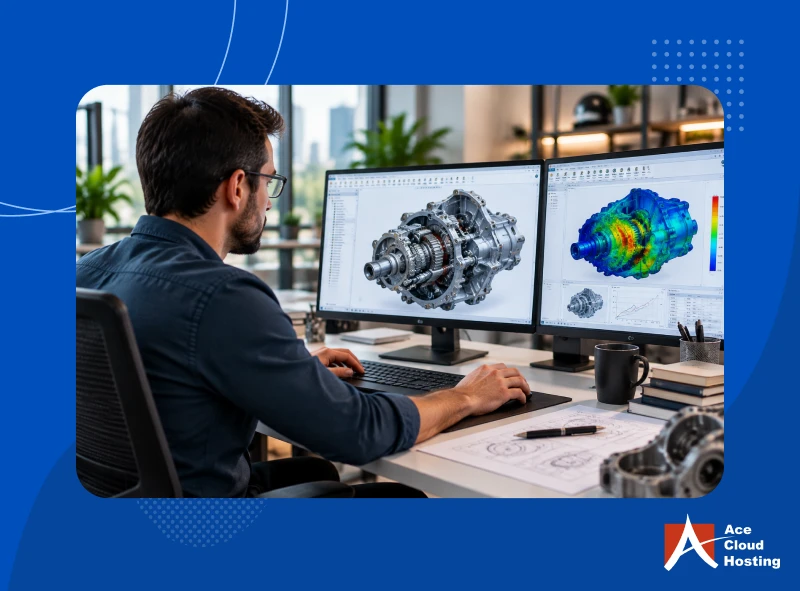
Edge computing gives quick access to GPU power for CAD, 3D modeling, simulations, and visual design. Engineers can work on large CAD files using VDI with smooth performance, and AI helps manage resources to keep sessions running well.
IT & Software Development
Teams run secure, isolated testing and automation environments on VDI powered by edge infrastructure. AI-driven tools handle routine tasks in older software systems, reduce manual labor, and ensure compliance and optimal performance.
Call Centers / BPOs
Edge processing reduces delays in VOIP voice and text analysis, providing agents with real-time suggestions during calls. Agents receive instant guidance within their VDI sessions, resolve issues more quickly, and stay aligned with company policies.
Government & Defense
Edge computing keeps sensitive data within local facilities, maintaining strict security and compliance. VDI provides controlled access while AI monitors user behavior and detects attempts to access classified information.
Retail
Edge computing within stores tracks inventory and customer activity in real-time, enabling staff to make faster decisions about stocking and pricing. Managers access these insights through VDI and improve daily operations without delay.
Challenges and Risks in Next-Gen VDI
Even with edge computing and AI, next-generation VDI presents a few challenges that teams need to plan for.
Cost and Setup
Edge-based VDI requires servers and GPUs at multiple locations. This raises setup costs and complicates planning. Poor capacity planning can result in underutilized infrastructure or increased long-term expenditures.
Performance Management
Edge reduces delay, but performance can differ from one location to another. If edge systems are overloaded or poorly connected, users may face slow or unstable sessions. AI requires regular tuning to maintain balance.
Security
With edge computing, systems and data are spread across more locations, which increases security risk. Each edge site must be properly secured and updated. AI-driven decisions also need monitoring to avoid access or policy issues.
Operations
Managing VDI in multiple edge locations is more challenging than handling a single central setup. While AI can help with monitoring and alerts, IT teams still need clear visibility and control to prevent downtime.
Many businesses are not yet prepared to use AI in VDI. Some lack trained staff, trust AI decisions, or have a clear sense of return on investment. Even though interest in AI is rising, about 78% of companies expect to use AI in at least one business function in 2025, so many still have not fully integrated it into their operations. Only about 1% of organizations see themselves as fully mature in AI deployment, which shows that most are still at an early stage.
Many organizations worry about costs, skill gaps, data privacy, and the risk of wrong AI decisions, especially in regulated industries. As a result, they often start with edge-enabled VDI and wait to fully adopt AI until they are sure about control, compliance, and clear business value.
Modernize your workspace with Citrix-powered, edge-enabled VDI built for security, performance, and future growth.
Transform Your Business with Citrix-Powered Desktops
AI and Edge Computing will drive the next stage of VDI. Together, they will redefine how businesses deliver applications, protect data, and support users.
Companies preparing for this shift will be better positioned to stay ahead in productivity and security. Ace Cloud Hosting is already building toward this future with secure, AI-ready VDI solutions for modern businesses.
If your organization is exploring its next digital workspace strategy, now is the time to consider how these technologies can shape your path forward. Get a Personalized VDI Demo with Our Experts.