quickBooks-accountant

QuickBooks Enterprise for Accountants

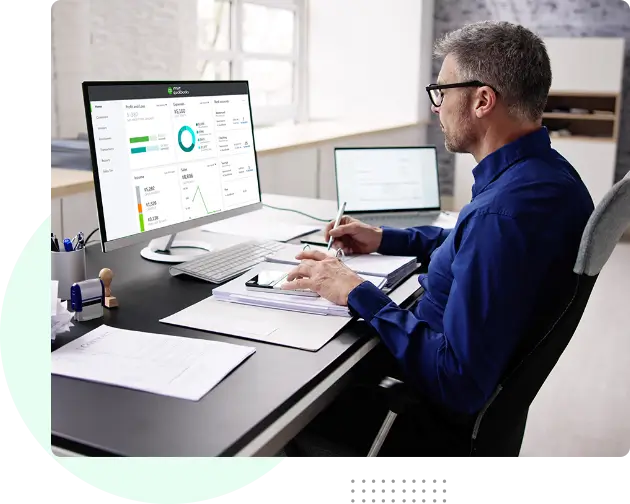
From managing files to simplifying collaboration, QuickBooks Desktop Enterprise Accountant Edition helps you work better while making things easier for your clients.
  • All-in-one Accountant Toolbox
  • Manage Customer Prepayments
  • Advanced Reporting
  • Remote Access
star

735+ Ratings

bsi anab
Stevie Award
Reader Choice
Best Support
Most Innovative
Expert Choice

QuickBooks for Accountants: Do More for Your Clients

QuickBooks for Accountants is designed to help professionals manage client work more efficiently and accurately. It combines the powerful features of QuickBooks Enterprise with accountant-specific tools such as the Accountant Toolbox, Accountant’s Copy, and batch transaction processing.

These features let you quickly reclassify transactions, fix common errors, streamline reconciliations, and handle multiple client files from a single dashboard—saving time while improving client service.

quickbooks-for-accountants

QuickBooks Enterprise Accountant Edition Offers Everything Your Clients Need to Succeed

receipt-management
Manage Client Files & Maintain Version Control

Work faster with client QuickBooks files. Use version control, save passwords, and organize files by client. Upgrade client files in batches with QuickBooks File Manager.

billing-method
Manage Customer Prepayments

Easily record and track customer prepayments on estimates or sales orders. Apply payments automatically when orders become invoices. Keep projects on track and give customers proof of payment.

real-time
Inventory Turnover Report

Get clear insight into what's selling and when. Use Turnover Ratio and Turnover Days to understand performance. Sort and filter reports to make better pricing and reorder decisions.

approval
All of your Accountant Tools Front and Center

The Accountant Center puts key features in one place. Work closely with clients and start reconciliation right away without switching screens.

proactive-monitoring
Review Client Data and Fix Errors

Reclassify hundreds of transactions at once. Fix sales tax errors, clear undeposited funds, and track list item changes—all from a single window.

link
Link Sales Orders with Purchase Orders

Connect sales orders with purchase orders to speed up fulfillment. Provide accurate delivery timeframes in one report. Manage inventory better by tracking inbound delivery dates.

Choose A Suitable QuickBooks Enterprise Version for Your Needs

Monthly Annually
(Upto 20% off)

*The 20% offer is applicable for the first 12 months of service only. Your account will automatically be charged on an annual or monthly basis until you cancel.

Silver 2024

$ $
billed monthly
  • QuickBooks Desktop Enterprise software
  • Up to 30 users with custom roles and permissions
  • Advanced Reporting
  • QuickBooks Priority Circle

Gold 2024

$ $
billed monthly
  • QuickBooks Desktop Enterprise software
  • Up to 30 users with custom roles and permissions
  • Advanced Reporting
  • QuickBooks Priority Circle
  • QuickBooks Desktop Enhanced Payroll

Platinum 2024

$ $
billed monthly
  • QuickBooks Desktop Enterprise software
  • Up to 30 users with custom roles and permissions
  • Advanced Reporting
  • QuickBooks Priority Circle
  • QuickBooks Desktop Enhanced Payroll
  • Advanced Inventory
  • Advanced Pricing
  • Bill & PO workflow approvals

Diamond 2024

$ $
billed monthly
  • QuickBooks Desktop Enterprise software
  • Up to 40 users with custom roles and permissions
  • Advanced Reporting
  • QuickBooks Priority Circle
  • QuickBooks Desktop Assisted Payroll (+$2 $1/per pay period per employee fee)
  • Advanced Inventory
  • Advanced Pricing
  • Bill workflow approvals
  • QuickBooks Time Elite ($5/mo per employee fee)
  • Salesforce CRM connector (optional add-on)
  • Client: Windows 10 (64-bit) or Windows 11 (64-bit), update/version supported by Microsoft. Windows 8.1, Windows 10 S mode, Windows 11 IOT, and Linux are not supported.
  • Server: Windows Server 2012 (or R2), 2016, 2019, or 2022 (Regular or Small Business Server)
  • 2.4 GHz processor
  • Client RAM: 8 GB RAM; 16 GB recommended
  • Server RAM (for multi-user support): 8 GB (5 users); 12 GB (10 users); 16 GB (15 users); 20 GB (20+ users)
  • 2.5 GB disk space recommended (additional space required for data files); Solid State Drive (SSD) recommended for optimal performance
  • For QuickBooks Enterprise Advanced Inventory Pick/Receive functionality, Honeywell Voyager 1602 Pocket Barcode Scanner, Socket Mobile CHS 7CI, and Symbol CS3070 are supported. Zebra TC20/TC25/TC51 Mobile Computer is recommended for the barcode scanner.
  • Enterprise subscriptions, payroll, payments, and online banking features require internet access
  • QuickBooks Desktop App is included with Desktop subscriptions. Must be installed on a camera-enabled mobile device using Android 6.0 or iOS 12 or later.
  • Optimized for 1280×1024 screen resolution or higher. Supports one Workstation Monitor plus up to 2 extended monitors. Optimized for Default DPI settings.
  • Integration with other software
    • Microsoft Word and Excel integration requires Office 2016-2021, or Microsoft 365 (64-bit)
    • E-mail Estimates, Invoices, and other forms with Microsoft Outlook 2016 - 2019, Microsoft 365 (64 bit), Gmail™, and Outlook.com®, other SMTP-supporting email clients. Integration with QuickBooks POS 19.0.
    • Transfer data from Quicken 2016-2022, QuickBooks Mac/Mac Plus 2021-2024 (US only), Microsoft Excel 2016 - 2021, Microsoft 365 (64-bit)
  • Browser requirement: Google Chrome
  • Data management: Uses AES-256 for data encryption for all PCI and PII data
run-your-business-quickbooks-enterprise-on-cloud

Run Your Business from Anywhere with QuickBooks Enterprise on the Cloud

As an Intuit Authorized Commercial Host for QuickBooks Desktop Enterprise Accountant Edition, we provide secure and scalable cloud services that enable accounting professionals to collaborate with their teams and manage clients efficiently in real time.

Hosting QuickBooks Enterprise Accountant Edition on the cloud gives you full access to all desktop features—including bulk transaction reclassification, correcting common client errors, upgrading files seamlessly, and tracking multiple clients from a single dashboard. This not only saves time and improves accuracy but also allows you to deliver greater value to your clients while keeping sensitive financial data secure.

Unlock More Value from QuickBooks Enterprise with Ace Cloud Hosting

quickBooks-licenses
Genuine QuickBooks Licenses

We are a QuickBooks Solution Provider; hence, we provide genuine licenses to ensure authenticity and reliability for your business's accounting needs.

incredible-hosting-benefits
Incredible Hosting Benefits

In addition to licenses, we offer a managed cloud hosting service for QuickBooks Enterprise to help you with remote access.

24-7-support
Free Installation and Setup

We offer complimentary installation and setup for your QuickBooks Enterprise, expertly tailored for desktop and cloud deployment.

value-added-offers-and-discounts
Value-added Offers and Discounts

Get exclusive savings and unbeatable deals on QuickBooks Enterprise Licenses with our special offers and discounts.

collaboration
Free Virtual Consultation

We offer virtual consultation to help you better understand your IT needs and business requirements without charge.

training
Training & Resources

Access online resources, workshops, tutorials, and guides to help you get more out of QuickBooks software.

Partner with Ace Cloud Hosting - Globally Recognized Award-Winning Managed Cloud Provider

Serving more than 20000+ business users worldwide

intuit-authorized-commercial-Hosting-Provider-and-QuickBooks-Solutions-Provider

Intuit Authorized Commercial Hosting Provider and QuickBooks Solution Provider

We are an Intuit Authorized Hosting Provider for QuickBooks Desktop software, thus, having the privilege of possessing expertise to deliver exceptional hosting support, with our experts receiving training from Intuit.

As a QuickBooks Solution Provider (QSP), we also offer genuine QuickBooks products at competitive prices—delivering trusted solutions, end to end.

award-image-v1

Award-Winning
Application Hosting Provider

Ace Cloud Hosting has earned accolades from businesses globally, including prestigious awards like “Best Outsourced Technology Provider” by CPA Practice Advisor Readers’ Choice Awards for two consecutive years and “Customer Service Department of the Year” in Stevie Award 2024 in the American Business Awards.

Frequently Asked Questions (FAQs)

What makes QuickBooks Enterprise Accountant Edition different from other editions?

QuickBooks Enterprise Accountant Edition includes all the powerful features of standard Enterprise—like advanced inventory, reporting, pricing, job costing, and role-based permissions—but adds Accountant‑specific tools such as the Accountant Toolbox and streamlined workflows for client file handling. These help accountants manage multiple clients more efficiently.

You can scale up to 40 users per company file, and flexible permission settings let you assign access based on roles—perfect for coordinating work across your accounting team or firm.

While Accountant Edition is intended for accountants, QuickBooks Enterprise also offers industry-specific editions (Retail, Manufacturing, Nonprofit, Contractors, Professional Services) with tailored tools and reports—especially helpful if your clients operate in these sectors.

Yes—you can access the Accountant Edition via secure cloud hosting. This lets you and your clients work together remotely, access files anytime, and benefit from anytime-anywhere collaboration without needing local installations.

Absolutely. Ace Cloud Hosting protects your data with bank-grade encryption, multi-factor authentication, next-gen firewalls, and Tier 4 and 5 data centers. Your QuickBooks files are backed up daily and can be restored anytime.

Yes. Ace Cloud Hosting allows you to integrate QuickBooks with 200+ accounting and business apps such as Lacerte, ProSeries, Drake, Bill.com, and payroll tools. Everything runs smoothly in the same cloud environment.

No. With cloud hosting, QuickBooks Accountant Edition runs on our servers. You just need an internet connection to access it from your PC, Mac, tablet, or smartphone; there is no local installation or upgrades to manage.

Our Partners

Note: Intuit and QuickBooks are registered trademarks of Intuit Inc. Used with permission under the QuickBooks Solution Provider Program.