

Windows Virtual Desktop

Secure, multi-session Windows 11 virtual desktops optimized for Office 365 and legacy applications.

star

735+ Ratings

Book Your 7 Day Free Trial
No Credit Card Required. Cancel Anytime.

    7 + 5 = ?

    We respect your privacy. Your information will only be used to share relevant updates and offers. See our Privacy Policy.

    100%

    Fully Managed

    99.99%

    Uptime - No Lag

    30%

    Lower Bandwidth Usage

    30

    Days Backup

    24x7

    Live Human Support
    Even on Weekends

    easy-migration-to-windows-11-on-azure-virtual-desktop-solutions
    Upgrade to Windows 11 with Windows VDI Service

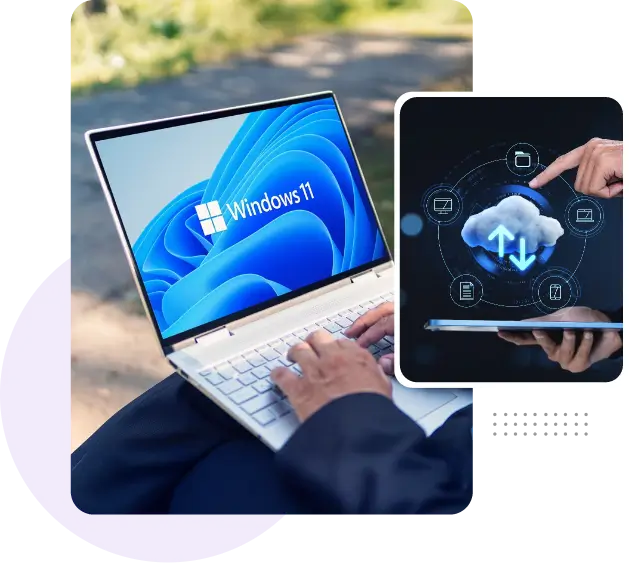
    Easy Migration to Windows 11 on Azure Virtual Desktop

    Windows 10 reaches its end of support on October 14, 2025 — which means no more security updates, bug fixes, or technical assistance.

    Now is the ideal time to upgrade not just your operating system but your entire IT infrastructure. Make the move to Windows 11 by Ace Cloud Hosting for a secure, modern, and fully supported experience.

    Transform Your Workplace with Ace Cloud Hosting and Citrix on Microsoft Azure

    transform-your-workplace-with-ace-cloud-hosting-and-citrix
    Benefits & Features

    Why Windows Virtual Desktop Is the Smart Choice for Hybrid and Remote Teams?

    remote-desktop

    Multi-Session Capabilities

    Host multiple users on a single Windows 11 multi-session VM — more performance, less overhead, at no additional cost.

    mobility

    Enhanced Remote Collaboration

    Secure, real-time collaboration with Windows Virtual Desktop accessible on any device - laptop, smartphone, and tablet.

    24-7-support

    Integration with Microsoft Ecosystem

    Integrate effortlessly with Active Directory, Microsoft 365, SharePoint, and other enterprise tools, ensuring smooth access, security, and productivity.

    backup

    Immutable Data Backups

    Protect your business data even from ransomware with 30-day data backup, replications, and compressions.

    cloud-access

    On-Demand Customization

    Integrate specific business apps, setting up custom access rules, configuring user roles, or aligning with your internal IT policies.

    data-center

    High-Performance Infrastructure

    Hosted on Tier 4/5 data centers, backed by SSDs, high-throughput computing, and low-latency networks—experience fast load times and smooth app performance.

    Our Partners

    Simplify IT Infrastructure with Managed Windows Virtual Desktop Hosting

    Avail Flat 50% Off for the First Three Months on Virtual Windows Desktop!

    Pay-as-you-go | 24/7 Managed Support | No Credit Card Required

    Security

    Stay Protected with 360° Security for Hosted Virtual Desktops

    Advanced Security Controls

    Get robust security features like USB redirection, anti-keylogging, anti-screen capture, and copy-paste blocking for complete, end-to-end protection.

    advanced-security-controls

    Multi-Factor Authentication (MFA)

    Add an extra layer of protection with MFA, requiring users to verify their identity through multiple methods before accessing.

    multi-factor-authentication

    Role-Based Access Controls (RBAC)

    Whether it’s HR, finance, or marketing team—each user only sees what they’re authorized to, reducing exposure and risk.

    role-based-access-controls-(RBAC)

    Ransomware Protection & Daily Backups

    Our systems are equipped with anti-ransomware defenses and automatic daily backups—allowing for quick recovery and zero data loss.

    built-in-backups

    Enterprise-Grade Firewall

    Block intrusions before they begin. Robust firewall protection prevents bad actors and unauthorized access, ensuring your data stays safe.

    enterprise-grade-firewall

    Next-gen Antivirus/Antimalware

    Protect against malware, known viruses, and other cyberattacks with next-gen antivirus/antimalware.

    next-gen-antivirus-antimalware

    End-to-End Encryption

    Protect your virtual desktop data both in transit and at rest using advanced encryption techniques.


    end-to-end-encryption
    Why Ace Cloud Hosting?

    Why Ace Cloud Hosting Is the Trusted Choice for Windows Azure Virtual Desktop

    bsi anab
    Stevie Award
    Reader Choice
    Best Support
    Most Innovative
    Expert Choice
    years-of-experience

    15+ Years of Proven Expertise

    Leverage a proven Citrix partner to deliver secure, high-performance virtual desktops — anywhere, anytime.

    security

    Enterprise-Grade Security & Compliance

    End-to-end encryption, MFA, policy controls, NTFS permissions, and AD authentication aligned with HIPAA, GDPR, and ISO standards.

    access

    Superior Windows Experience

    Ensure smooth, high-performance access to apps like Office 365, optimized for low-bandwidth environments and seamless remote work.

    data-migration

    Effortless Migration & Onboarding

    Migrate to Windows 11 Virtual Desktops seamlessly with expert guidance—fast, hassle-free, at no additional cost.

    99.99%-uptime

    Zero Downtime, Always-On Availability

    Stay connected with 99.99% uptime, real-time backups, and a commitment to keeping your business always on.

    data-center

    Tier 4/5 Data Center

    Rely on high-performance, SOC 2, HIPAA, and SSAE-16 certified Tier 4/5 data centers across the U.S., India, and Singapore.

    billing-method

    No Hidden Costs

    No surprise bills, no overprovisioning, and no cloud cost headaches with transparent, pay-as-you-go pricing.

    24-7-support

    24x7 Expert Support You Can Count On

    Get around-the-clock access, even on weekends and holidays, to cloud experts who keep your virtual desktops running at peak performance.

    data-center

    Business Continuity and Disaster Recovery

    Focus on what matters most—your business. Your virtual machines and data stay secure and accessible, even during disasters or accidental deletions.

    Take the next step!

    Get End-to-end Managed Windows Desktop Hosting in 48 Hours — Start Your Free Trial Today!

    No Long-Term Contracts | Pay-as-You-Go | 24x7 Support

    FAQs

    Got Questions?

    What is the process Ace Cloud Hosting follows to deploy Windows Virtual Desktop?

    Ace Cloud Hosting follows a streamlined approach to deploying Windows Virtual Desktop (WVD) tailored to your business needs. We start by assessing your existing infrastructure and application compatibility. Next, we implement a WVD environment optimized for performance and compliance.

    Post-deployment, we provide ongoing management and optimization services, ensuring your Virtual environment continues to meet your evolving business needs. This end-to-end process guarantees a fast, secure, and hassle-free WVD deployment.

    Windows Virtual Desktop (WVD), now Azure Virtual Desktop, fully supports Windows 11, including the multi-session Windows 11 Enterprise version designed specifically for virtual environments. Users can access their Windows 11 virtual desktops from a wide range of devices, including Windows PCs, macOS, iOS, Android, and web browsers, ensuring flexibility and mobility.

    Yes. We offer free migration assistance. Our onboarding team ensures a smooth transition of your apps, files, and settings—without disrupting your existing workflow.

    Absolutely. Our pricing plans give you the flexibility to scale up or down your virtual resources and users as needed, paying only for what you use. This is ideal for seasonal or growing teams.

    We support businesses of all sizes. Whether it’s a startup team or a 5000-user enterprise setup, you can start with us and scale up as your needs grow.

    Provisioning typically takes less than 48 hours. Our team will configure, test, and deliver your virtual desktops with all your required software pre-installed.

    You get 24x7 technical support, including live chat, phone, and email assistance. Our team proactively monitors your environment to ensure smooth performance and fast issue resolution.

    No, Azure Virtual Desktop (AVD) no longer supports Windows 7 clients or virtual machines as of January 10, 2023. Microsoft has ended all technical support and updates for Windows 7 on AVD. To use Azure Virtual Desktop, you’ll need to upgrade to a supported operating system such as Windows 11. Ace Cloud Hosting can assist with both licensing and upgrading to Windows 11.

    Yes, Azure Virtual Desktop can be integrated with Citrix to enhance the virtual desktop experience. FSLogix is fully supported for managing user profiles, enabling faster, consistent access to user settings and data across sessions. This setup improves performance and simplifies profile management in multi-session or hybrid deployments.

    No, Azure Virtual Desktop does not include additional storage by default. Storage for user profiles and data—such as FSLogix profile containers—must be provisioned separately through your Azure subscription.